
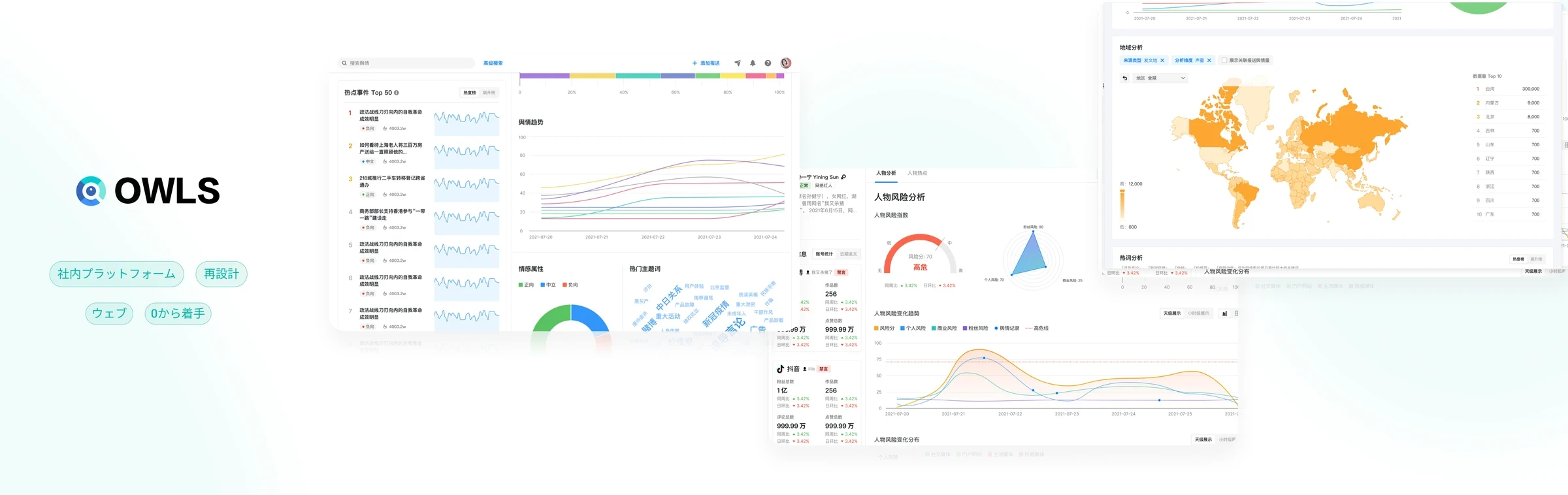
Background
OWLS is part of ByteDance’s content safety work. It digs up risk information from sources inside and outside the company, so that risks reach the risk handling platform and are resolved as early as possible. It serves two sides of the company:
Company content safety
Review risk management
- Net Information Monitoring
- Risk Disposal
Government and public opinion
- Summarize Current Political Opinions
- People's Livelihood Issues
PR management
- Company Image
- Reduce risk Breakouts
Internal services
- Listen to Internal Voices
- Enterprise Services
Business development
Industry monitoring
- Identify Industry Trends
- Discover Crises
- Explore Opportunities
Related product analysis
- Monitor Competitor Dynamics
- Assist Various Business Lines
User feedback
- Reputation and Feedback
- Handle Negative Public Opinion
Media operations
- Hotspot Operations
When I took over, OWLS was an MVP built by the PM and developers without fully considering what users needed, and some modules had very low UV and PV. My goal as the UI/UX designer was to understand what users need and help them finish their tasks as efficiently as possible: news subscriptions, risk alerts, and event and character analysis.
Main users
- The main user type of the platform is the “news discoverer”. Their responsibility is to protect the product lines from negative public opinion online. They also spot changes in trending topics to support trend operations for product lines such as TikTok. And they regularly analyze hot events and risk tasks and present them to their team.
- I invited four users (one of them a team lead) to a user research session, then wrote a user report and a persona based on the findings.
News discoverer

Role and responsibilities
Daily discovery and monitoring of public opinion, sending the public information found to the people concerned, and regular review and summary of public opinion risks
Frequently used devices
15 inch MacBook (70%) · 13 inch Windows (10%)
Main tasks
Monitoring news, investigation, recognizing public opinion
- Use keyword search to get the related public opinion, roughly estimate public sentiment and understand the volume of the event.
- Monitor long-term tasks (e.g. high-risk queues, brand risks of business lines) and short-term tasks (sudden risks).
- Evaluate and review submitted tasks, and notify the downstream platform when there is a risk.
Proportion of effort: 40%
Specialized research on task risk evaluation, hotspot mining and hotspot tracking
Proportion of effort: 20%
Summary and review of public opinion risks
Write daily and weekly reports that document the findings, based on the project requirements.
Proportion of effort: 40%
Core metrics
Speed: time from discovering public opinion to submitting it
About the metric: the faster, the better.
Accuracy: accuracy of the information provided when sending
About the metric: checks whether the risk points are described accurately when sent to the risk handling platform.
Completeness: whether the reported information is comprehensive
About the metric: checks that no case was missed, misjudged or miscommunicated in the report.
A typical day:
- Their working hours are 9 a.m. to 6 p.m. Once at the office, a good part of the time goes into watching the alert groups. A person in charge of pre-screening cleans and labels the public opinion data before the related risky information is pushed to the alert groups.
- Next, the data from the alert groups is screened further. When risky content comes up, background information is collected offline before a report is sent.
- After submission, the information is verified and judged. After submission and judgment, in-house experts do a second evaluation. When a potentially valuable risk is identified, its value is confirmed with the business unit concerned before it is reported.
- Around 4 p.m., a daily report is put together around the main topics of the day. It is usually sent between 4 and 6 p.m. (for a special project, the person in charge of that project has to write a separate report).
Persona: news discoverer
Action
Create a subscription task
Monitor the task
Submit task
Summarize and review
Tasks
- Search related public opinion by keyword and make a first estimate of it.
- Optimize the keyword setup, add accounts and add other restricting conditions.
- Set the pre-screening conditions for TCS (long-term issues).
- Pick out high-risk information based on the pre-screening results and Feishu notifications.
- Carry out specialized investigations (risk evaluation of specific individuals, hotspot mining, hotspot tracking).
- Carry out hotspot mining.
- Enter the basic information for submitting a report, run the evaluation and, when a risk occurs, work with the security team of each department to solve the problem.
- Write daily and weekly reports based on the project requirements, documenting the findings and insights.
Emotion
Pain points
A subscription task can produce a large amount of unrelated data, so after creating it users have to go back, edit the subscription and filter out the invalid information.
- The data analysis formats on the public opinion platform are not comprehensive enough, and supplementary analysis still needs extra help from outside.
- The alert conditions for hotspot information are not comprehensive enough, so discovery often comes late, after the information has already spread.
-
Recording and linking past events and public opinion needs manual work and can take time and effort.
Opportunities
- More comprehensive and effective data.
- Guide users to search and estimate beforehand, then adjust and create new information subscriptions based on the search results.
- Add more dimensions to the analysis of public opinion events (geographic analysis, sentiment analysis, site analysis, NLP distribution and so on).
- Build in multiple alert conditions (ranking, unit range, related product lines and so on) to detect potential hotspots early, allow proactive intervention, and monitor trending topics and product movements in real time.
-
Use both horizontal correlations (person to person, person to event, event to event) and vertical ones (popularity of related events, media, opinions of netizen KOLs) to establish the relations between people, events and objects and to discover public opinion and risk clues. This approach helps users identify risks quickly and comprehensively and understand potential risks more deeply.
Detailed user journey: news discoverer
Related products
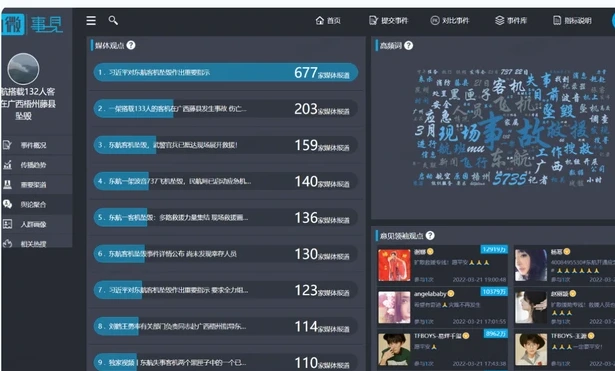
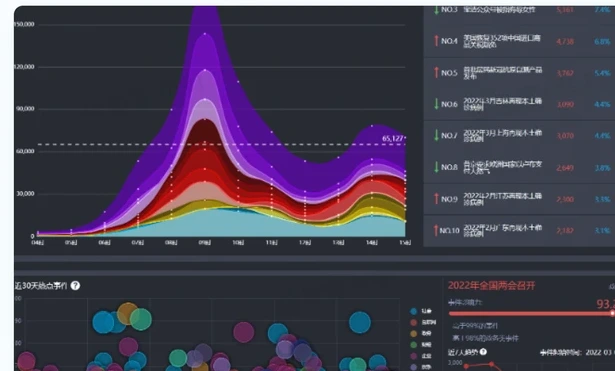
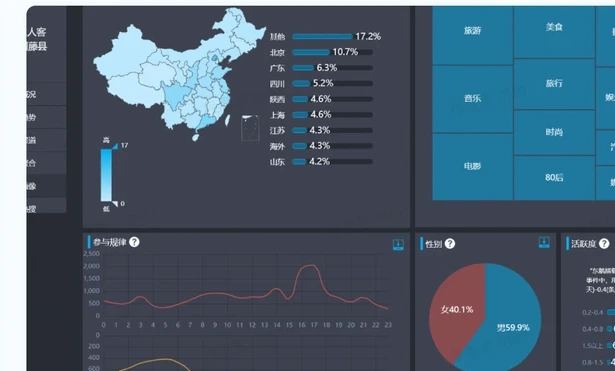
These are the related products the PM (Product Manager) and I found. Some are popular on the web, others are used a lot by our own users. Every one of them has strengths and weaknesses, and none can simply replace another.
ZhiWei Data
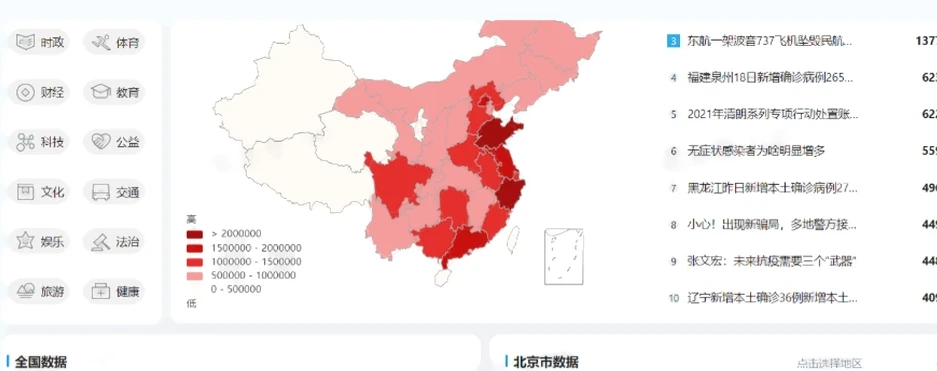
Pros: Like QingBo, it has strong tracking capability. The volume of an event is segmented to show the participation of major media and KOLs. The formats and dimensions of data analysis are rich.
QingBo
Pros: The concept of a time range is applied to events: it shows how an event unfolds while it is happening, with its first release, its context and its spread chain.
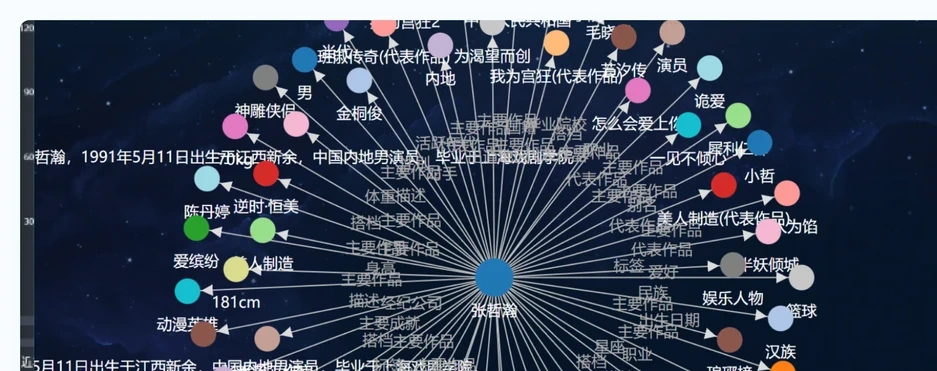
Cons: The accuracy of the information needs improvement. Adding events by hand is not supported at the feature level. The knowledge map and the character map tend to become mind maps that are hard to read. Many visual elements are inconsistent.
Baidu Public Opinion
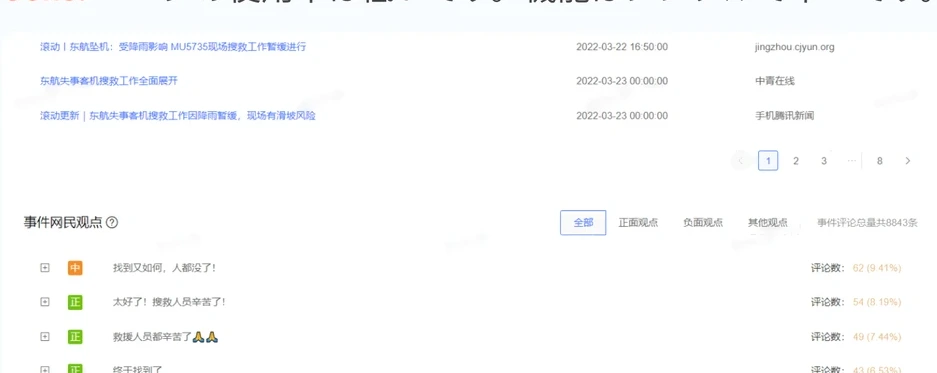
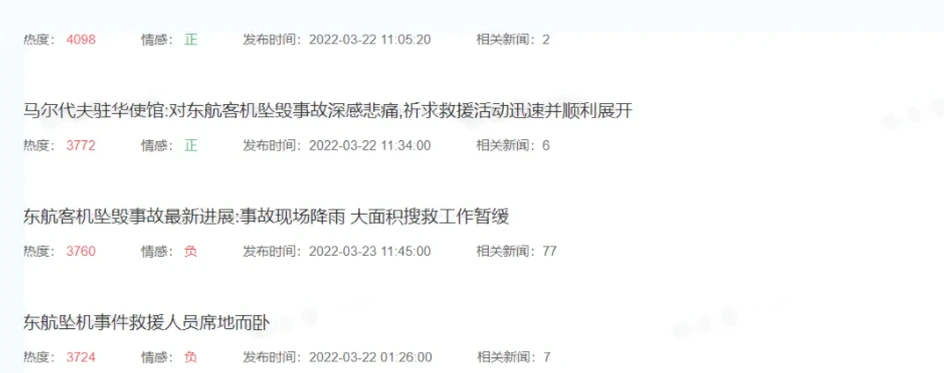
Pros: Shows the elements of public opinion based on events. The development trend of an event can be checked clearly through search.
Cons: The pages are rarely used. The features are simple and single-purpose.
The problems I planned to solve as the UI/UX designer
- Problem 1: Some earlier features were built without really understanding user needs 🔴 High
- Problem 2: Some old designs contain a lot of jargon and confusing processes, so new users don’t know how to use the platform 🟡 Medium
- Problem 3: Some small details of the user experience (such as how information is displayed) actually hurt users’ efficiency 🔴 High
My proposed solutions
Strengthen the dimensions and capability of event analysis (fixes problem 1)
Before
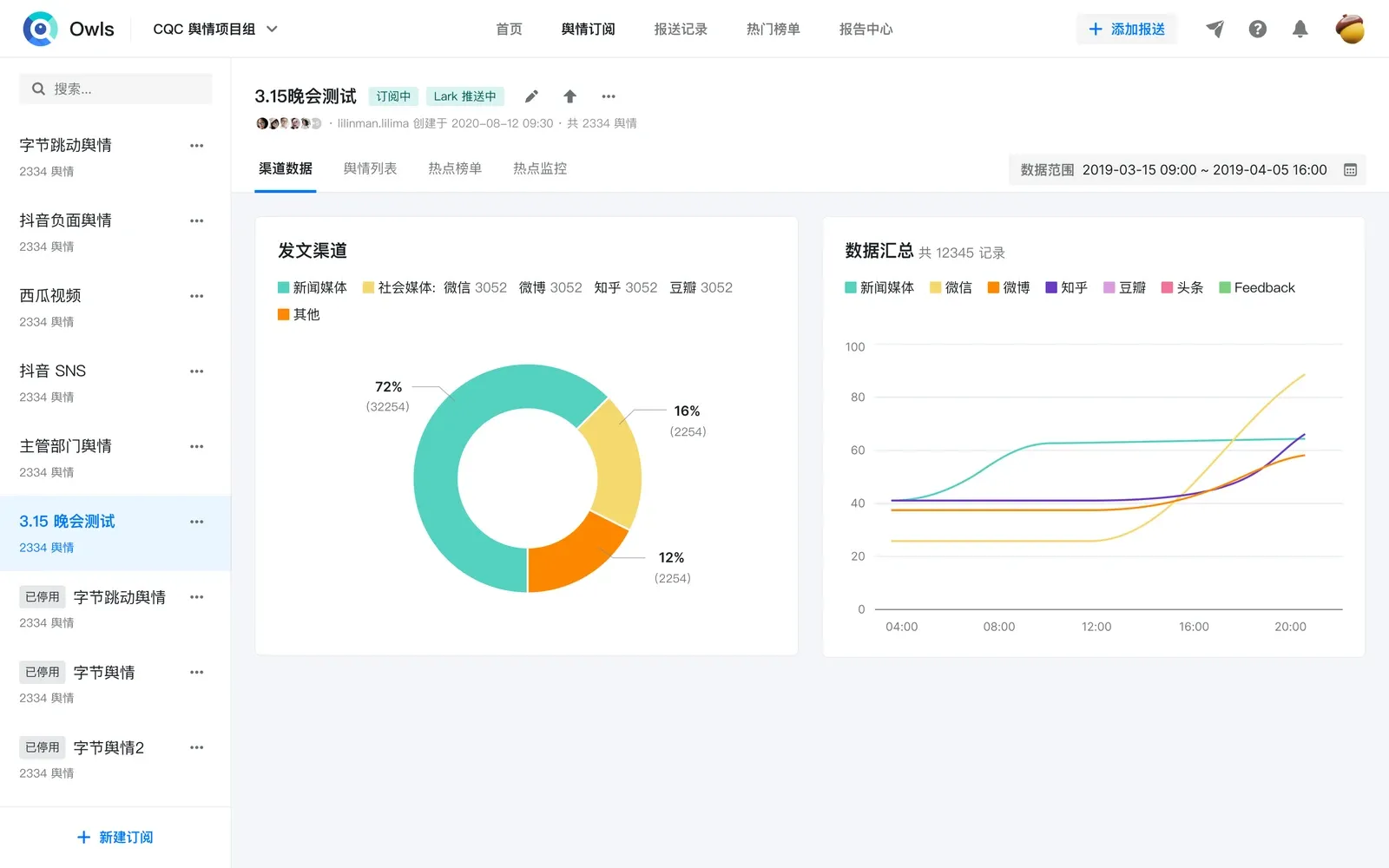
For users, writing daily and weekly reports is tedious work, and the earlier features did not serve them well. Sometimes they turned to external tools to write reports, which could also be a security risk.
In the old structure the data was only loosely connected, so users had to relate it and summarize it themselves.
New Solution



Redesign the hot rankings and add alerts for hot events (fixes problems 1, 2, 3)
Before
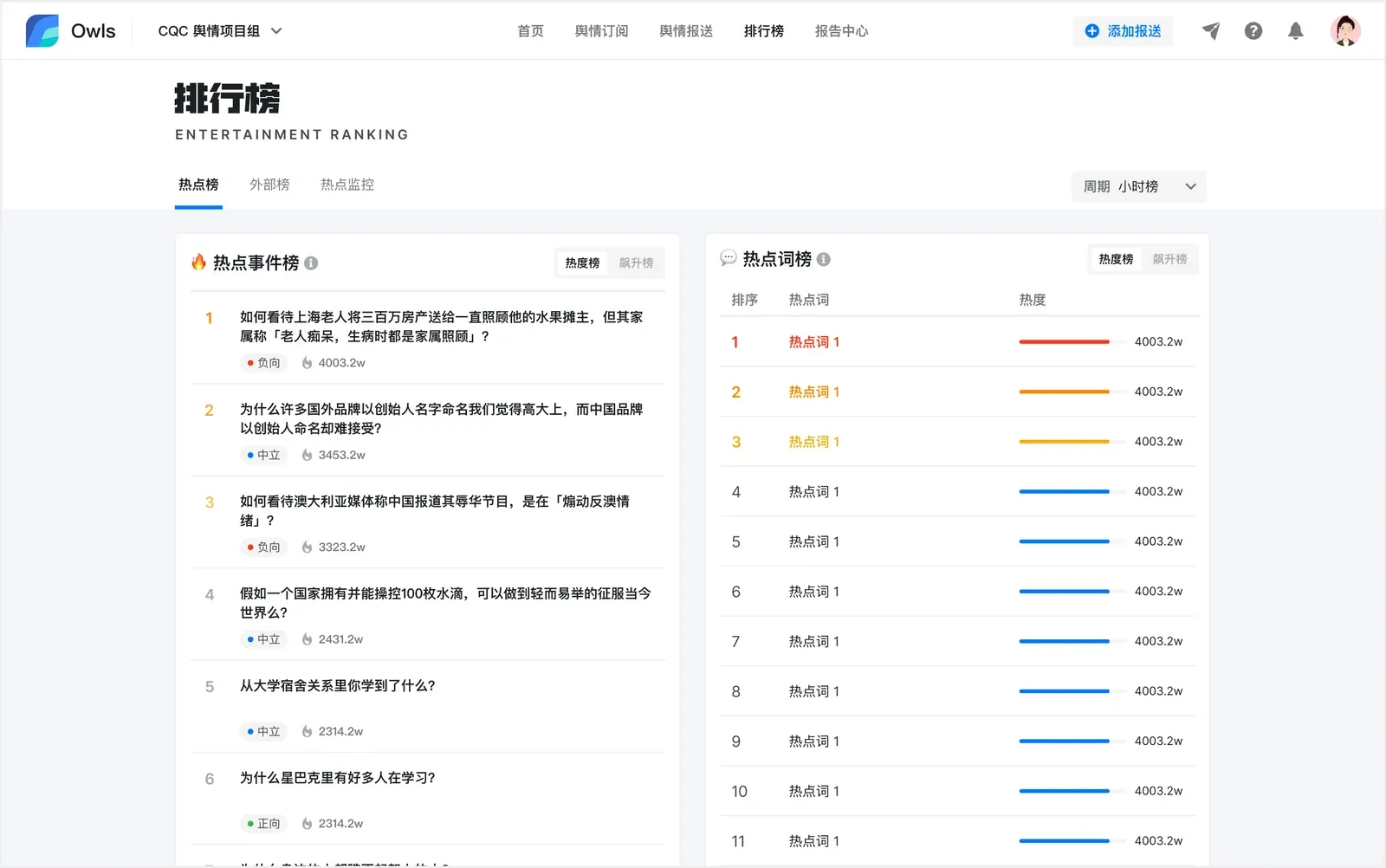

User research showed that users watch the trending topic rankings every day and need to compare different rankings, which the earlier design did not support. So I redesigned it: in the new version the left side stays fixed and the right side scrolls freely.


For hot alerts, I designed a new custom hot alert feature. Users freely combine the information they care about, and it is then pushed to their message reminders, so they can get ahead of trending topics.
New Solution
Polish news subscription, the most commonly used feature (fixes problems 1, 2, 3)
Before

In the research, users told me that news subscription, the feature they use most, was not very efficient.
The main problems:


- The manager of a subscription is the most important piece of information, but it could not be seen from the outer page.
- The top area of the page was fixed, with a lot of empty space on both sides, which made moving around the page awkward.
- When creating a new subscription, the page interacted differently from the other pages.
New Solution
Redesign the home page and add a landing page (fixes problems 1, 2)


Before


Originally the OWLS home page had only a search box and no overview for new users. It was hard to show everything the platform could do and to attract new users. The new design brings the platform’s main features together, and users entering the platform for the first time see a full introduction to it.
New Solution
Feedback from users
After the modules above were redesigned and launched, I went back to the earlier users and heard the following:
- They rate the new design highly and find it user-friendly and intuitive.
- The new hot topic monitoring feature is very useful and helps them keep better track of the topics they are aware of.
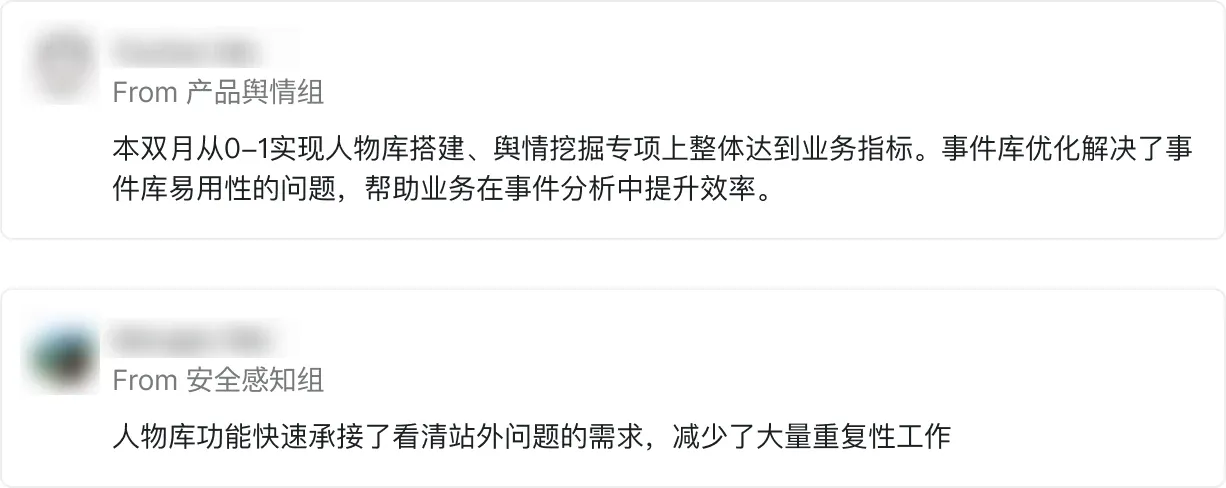
From Product Public Opinion TeamThis bimonth, the character library was built from 0 to 1, and the public opinion mining project met its business targets overall. The event library optimization solved the library’s usability problems and helped the business work more efficiently in event analysis.
From Security Perception TeamThe character library quickly took on the need to see off-site issues clearly and cut a lot of repetitive work.
Hover to read it in English
The new home page and landing page
With the newly launched home page, the number of new users, daily page views (PV) and unique visitors (UV) of the OWLS platform grew substantially.
New user growth in the first month after launch:
45.49%
Daily PV growth:
26.95%
Daily UV growth:
16.00%
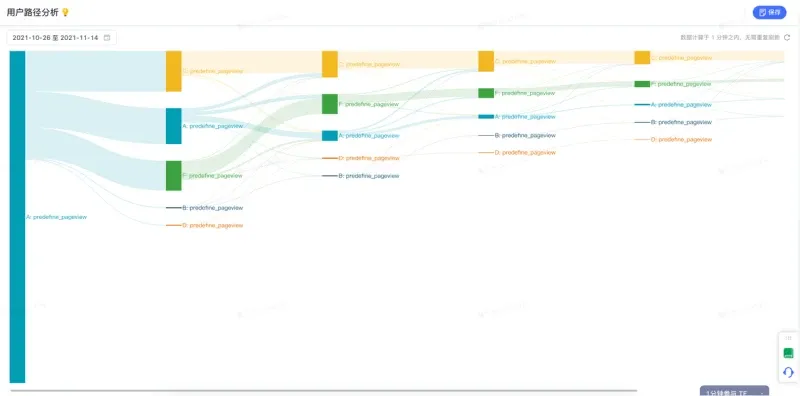
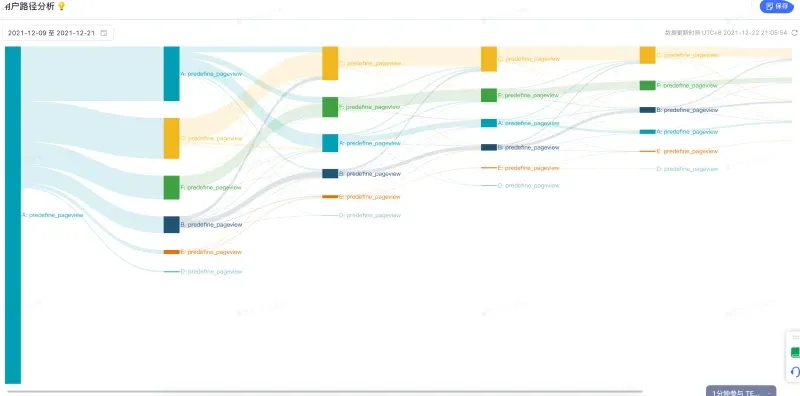
The new home page and overview page offer richer content and entry points to the other important modules, so users move smoothly to functional modules such as hot events, rankings and product monitoring.
Reflection
- I learned a lot as the design owner of the OWLS platform. It was my first time creating a persona for an enterprise platform. With enterprise products it is much easier to get close to users and hear them out. Yet in the pursuit of speed and efficiency, it is not unusual to overlook what users really need.
- At an internet company like ByteDance, especially on internal platforms, designers often don’t have enough time to understand user needs. Product designers usually run a quick interview with a user representative and start writing the product requirements document right away. Then, some time later, we are sorry to discover that users don’t like what we built.
- As a UI/UX designer, building rapport with users matters a great deal. It hardly needs emphasizing, but a little casual conversation before and after the product requirements take shape can help enormously.
Peer Feedback
From Leader
Yuki independently took ownership of three platforms, including Owls, a core system for risk management. She demonstrated strong design execution and the ability to support large-scale requirements effectively.
She actively collaborated with cross-functional teams and consistently received excellent feedback from partners. She also showed great initiative by identifying platform issues from the design perspective, driving user interviews and reviews that helped the project team continuously improve.
From PdM
Yuki is an excellent teammate who quickly grasps product requirements and always responds with clear, actionable design solutions.
She also provides valuable professional input on interaction design, which helps improve the overall consistency and usability of the platform.
From Developers
I really appreciate Yuki's strong sense of logic and refined design taste. Her feedback on product adjustments is always well-reasoned and insightful, great collaboration!