Case study 06

CSP component library

The CSP design component library is a branch of Semi Design. It is a sub-library derived by the CSP team for the business context of content safety.

  • Built CSP, a business component library derived from Semi Design, for ByteDance's content safety platforms.
  • Started from the issues designers and front-end engineers raised, kept Semi's quality and added the dense, review-heavy patterns those platforms need.
  • Adopted across 20+ internal platforms.
Skills
Building a component library · Team collaboration · Business context analysis
Timeline
May 2021 – Jan 2022 (at )
20+Internal platforms

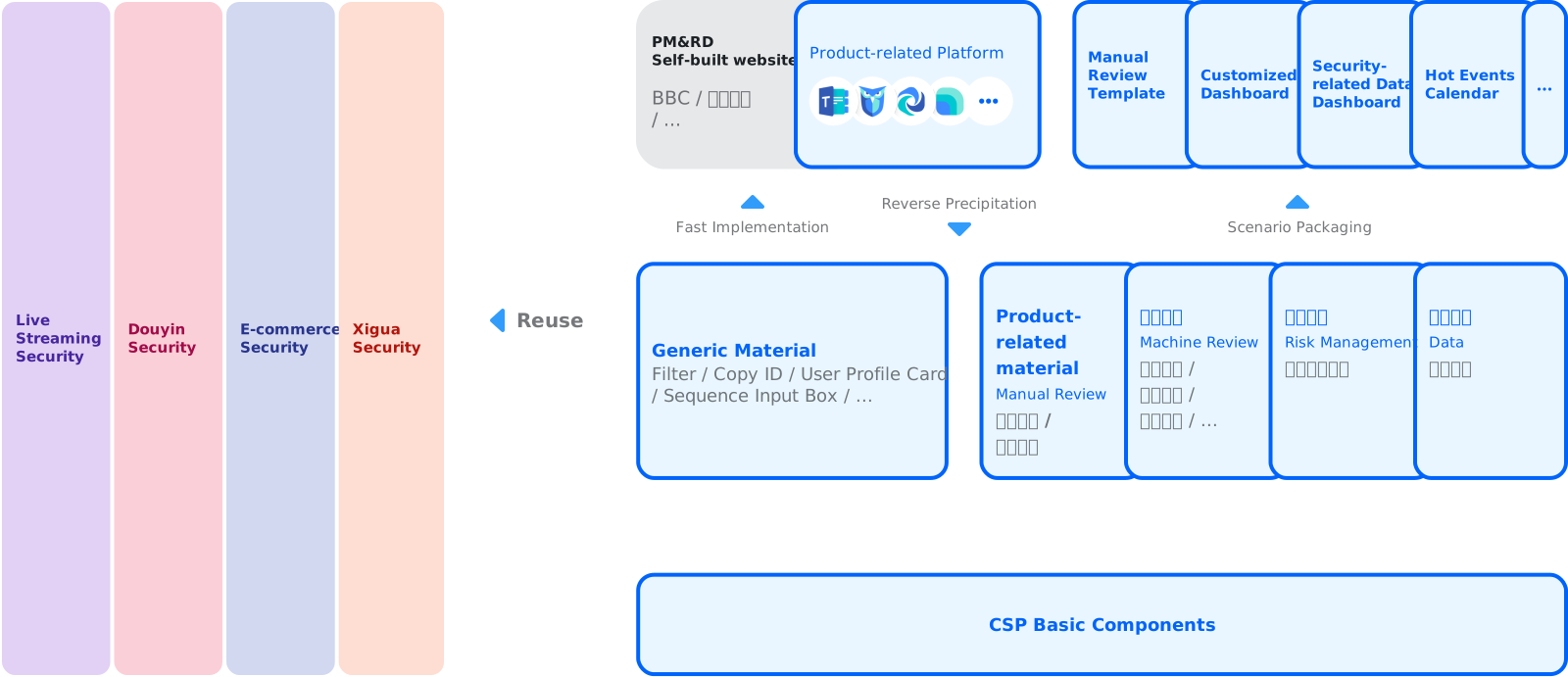
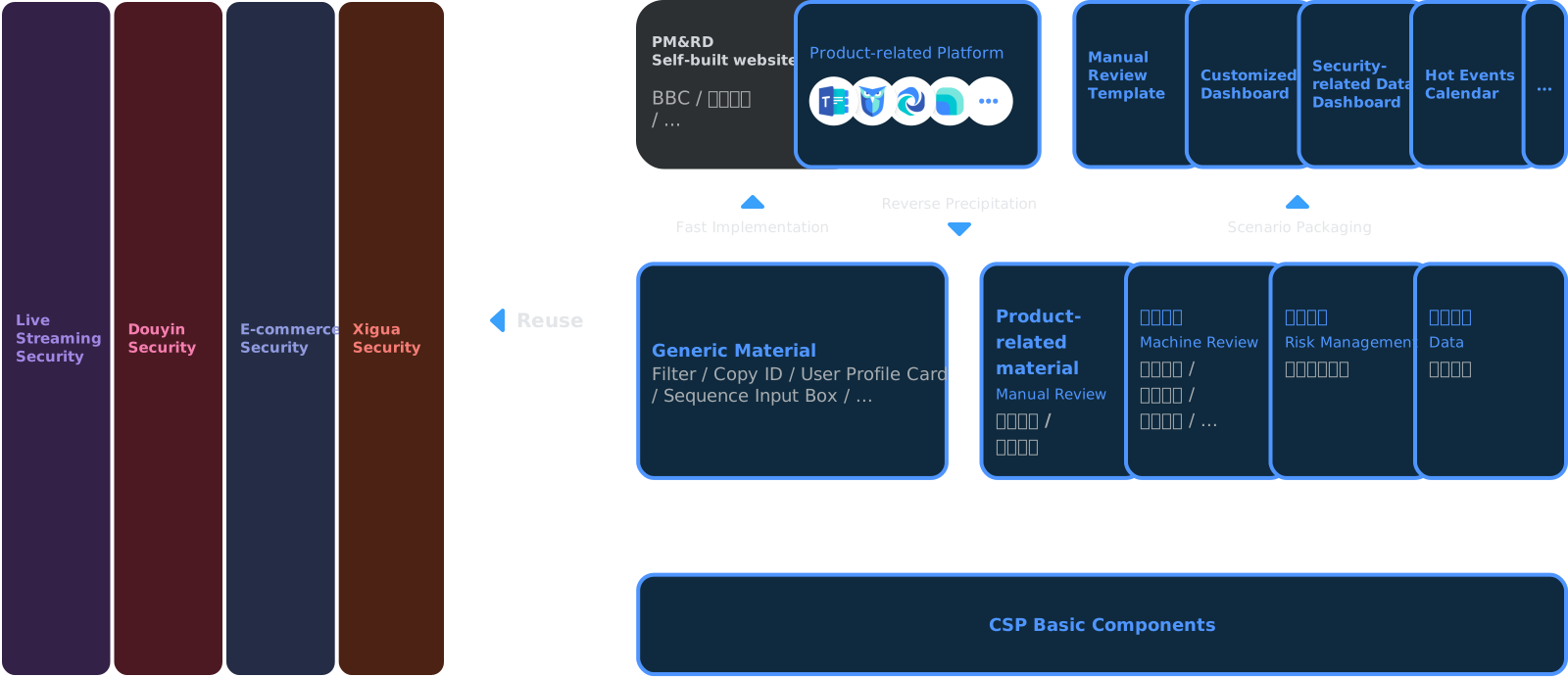
How the library is reused: CSP basic components at the bottom; generic material (filter, copy ID, user profile card, sequence input box) and product-related material (manual review, machine review, risk management, data) above them; product platforms and scenario packages (manual review template, customized dashboard, security-related data dashboard, hot events calendar) at the top; all reused by live streaming, Douyin, e-commerce and Xigua securityHow the library is reused: CSP basic components at the bottom; generic material (filter, copy ID, user profile card, sequence input box) and product-related material (manual review, machine review, risk management, data) above them; product platforms and scenario packages (manual review template, customized dashboard, security-related data dashboard, hot events calendar) at the top; all reused by live streaming, Douyin, e-commerce and Xigua security

Process

1. Discover

  • Collect issues from designers and front-end engineers (FE)
  • Research other related design systems
  • Prioritize the design and development schedule

2. Define & Design

  • Refer to the previous designers’ work to understand the design background and the business background, for consistency and unity
  • Evaluate the possibility of modifying the Semi hand-off directly

3. Carry out

  • Keep developing continuously
  • Experiment by trying it on new platforms
  • Encourage PMs to try it directly

How CSP components differ from Semi components
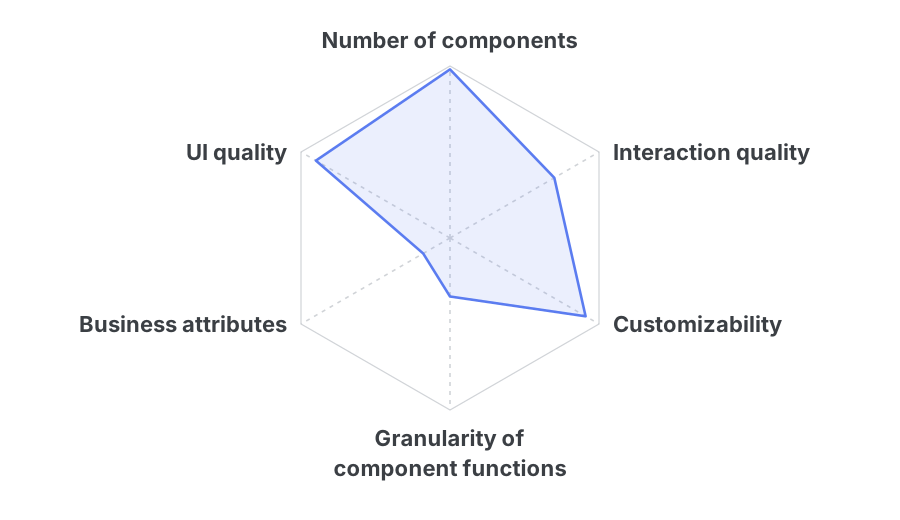
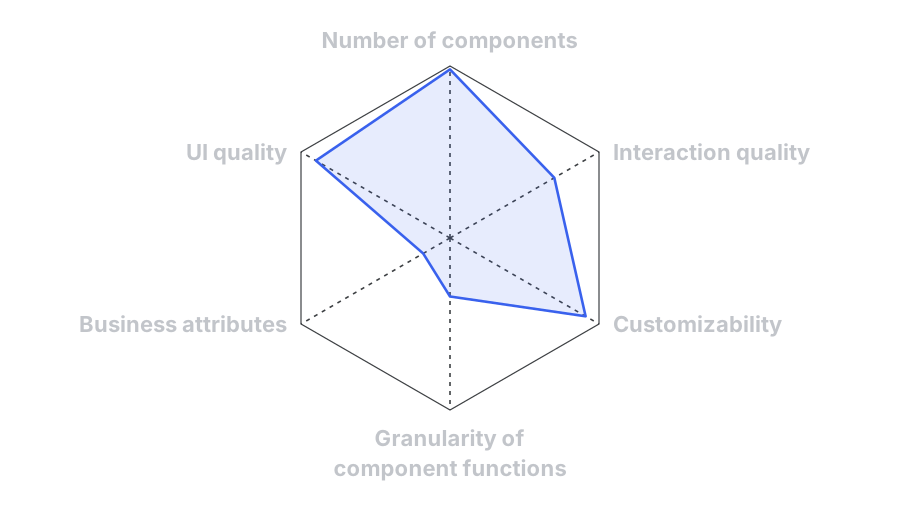
Radar chart for Semi: high on number of components, UI quality and customizability; lower on interaction quality; low on business attributes and granularity of component functionsRadar chart for Semi: high on number of components, UI quality and customizability; lower on interaction quality; low on business attributes and granularity of component functions Semi

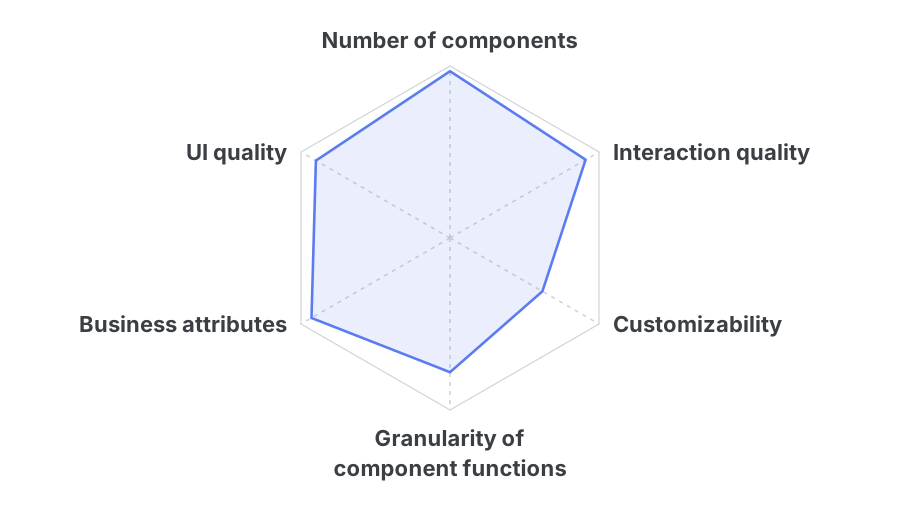
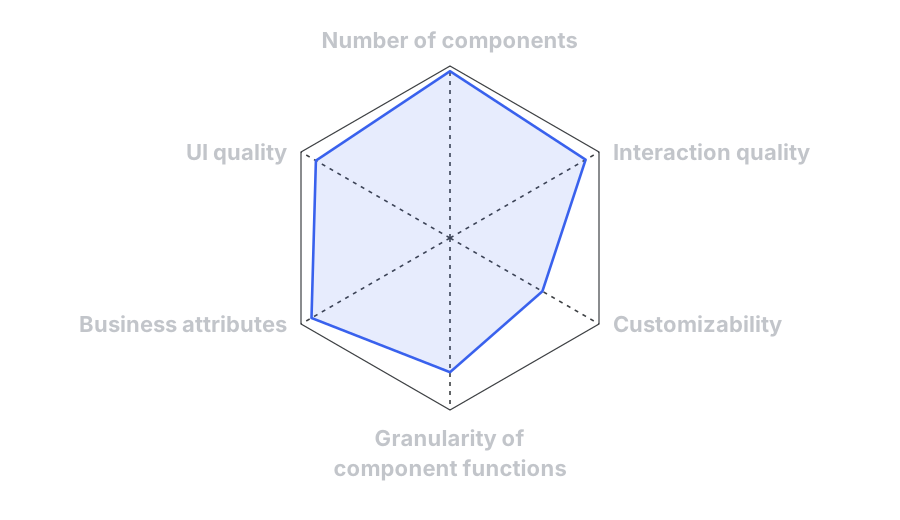
Radar chart for CSP: high on number of components, UI quality, interaction quality and business attributes; fairly high on granularity of component functions; lower on customizabilityRadar chart for CSP: high on number of components, UI quality, interaction quality and business attributes; fairly high on granularity of component functions; lower on customizability CSP

CSP is a set of business components derived from Semi. Its number of components, UI quality and interaction quality are consistent with Semi’s, which reduces the workload of front-end development. Semi is used by many design teams, so it is highly customizable; CSP adds business attributes to it, unifies the business background and the design approach internally, and is used by many people. Because it deals with more detailed user habits and functions, CSP’s design is more detailed. It also gives something back to Semi, providing better design solutions.

Branding

Slogan on a dark background filled with keywords: “ByteDance Safety, protecting happy moments”

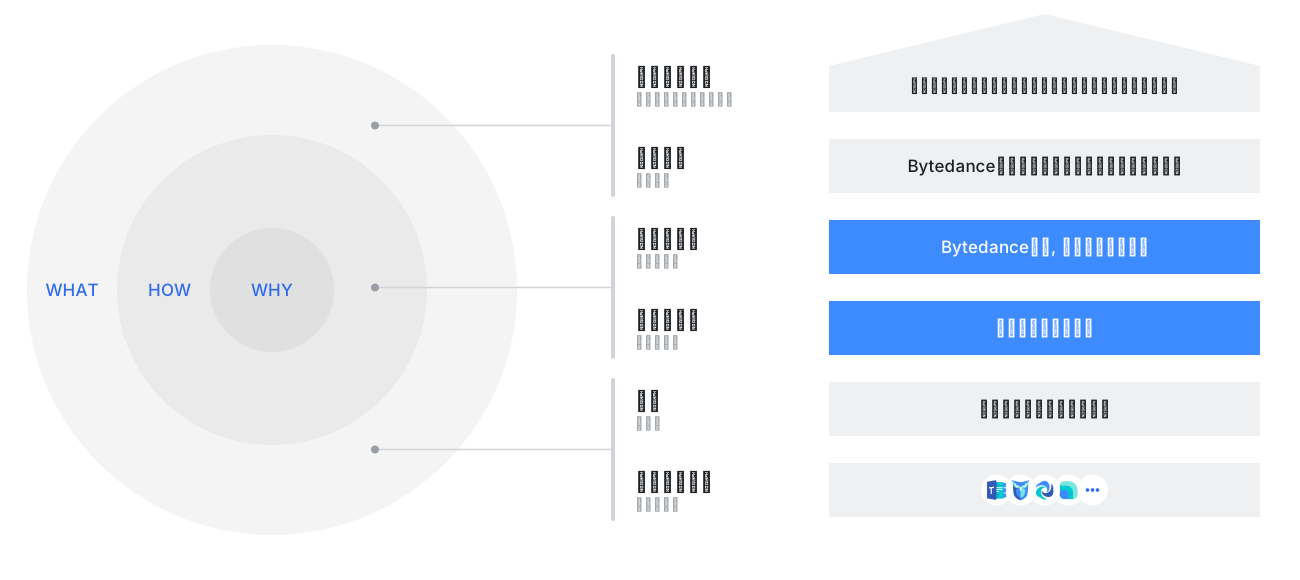
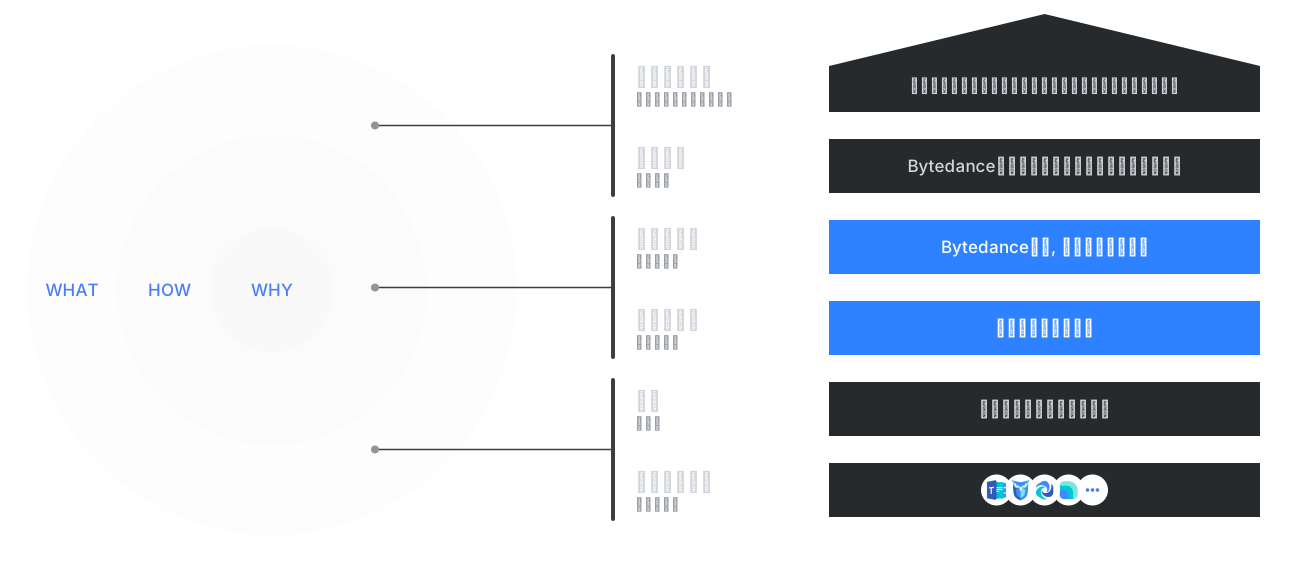
Golden circle (why, how, what) mapped to the brand: brand statement, value proposition "the content safety platform owned by ByteDance", slogan, keywords "protection, tech, peace of mind", audience "security task operators", and the supporting productsGolden circle (why, how, what) mapped to the brand: brand statement, value proposition "the content safety platform owned by ByteDance", slogan, keywords "protection, tech, peace of mind", audience "security task operators", and the supporting products

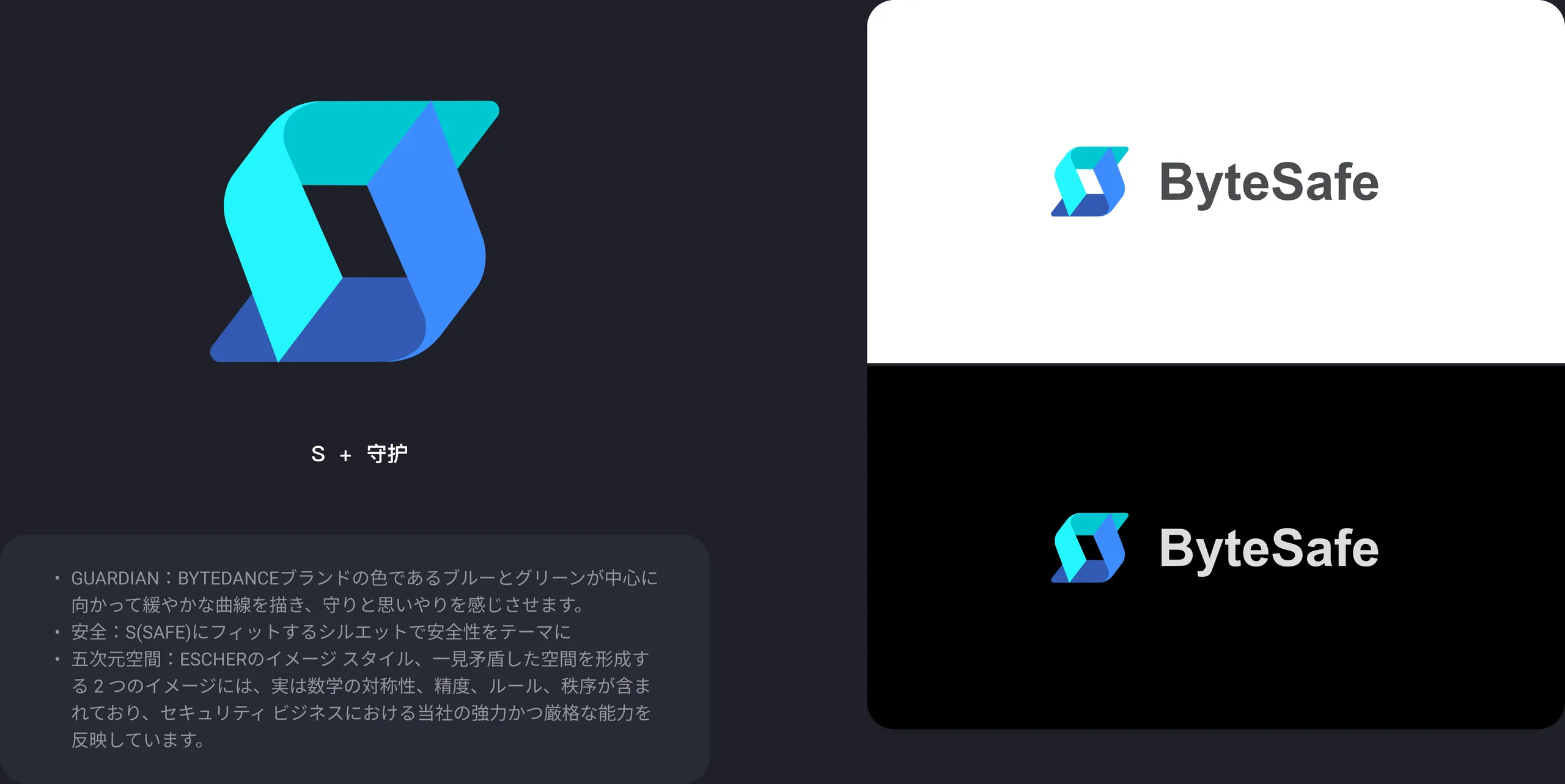
The ByteSafe logo: an S-shaped mark in blue and green, with notes on its meaning (guardian, safety, five-dimensional space), and the logo on white and on black

Values

Cautious

Serves complex, deep scenarios with a high density of content

Flexible

Provides more detailed business scenarios, simplifies complex layouts, and gathers the sizes and styles that a compact review layout needs
Efficient

Serves platform-type products, aims to raise users’ efficiency, and customizes interactions to business requirements

Design thinking

  • Atom: color, font, icon, rounded corners, shadow…
  • Molecule: Input, Select, Checkbox / radio, Upload, Datepicker…
  • Organization: Dropdown, Navigation, List, Card, Popover / tooltip…
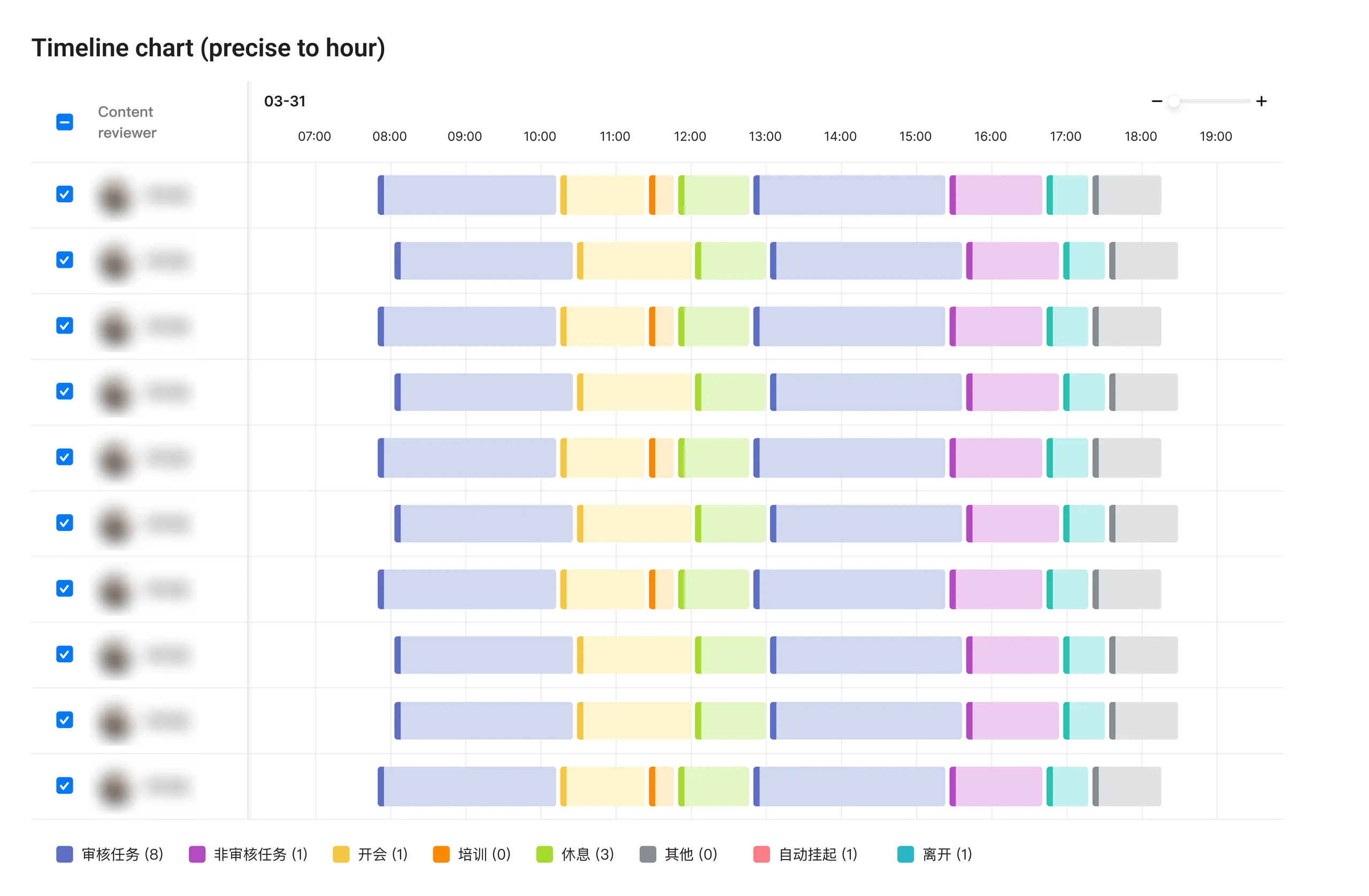
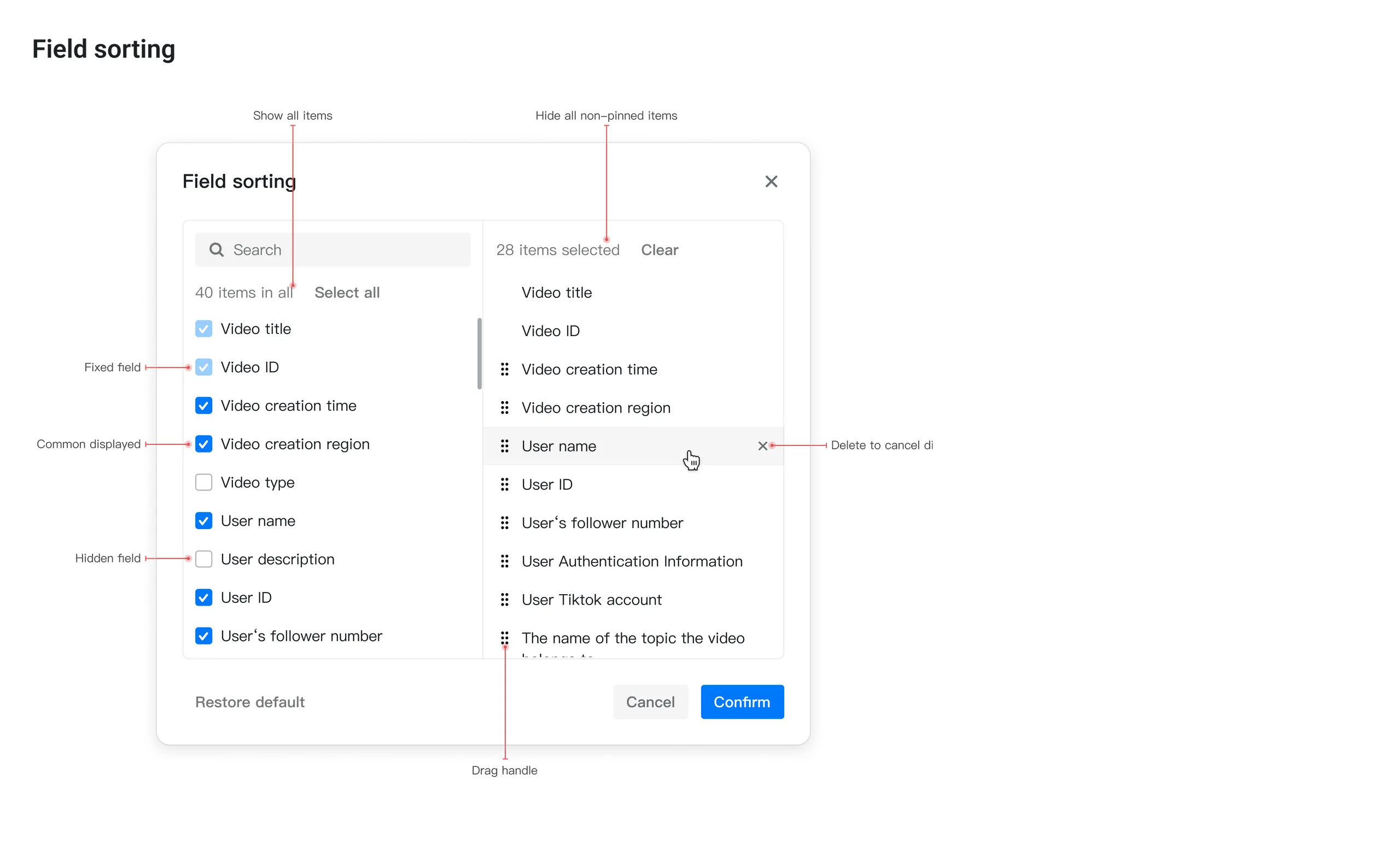
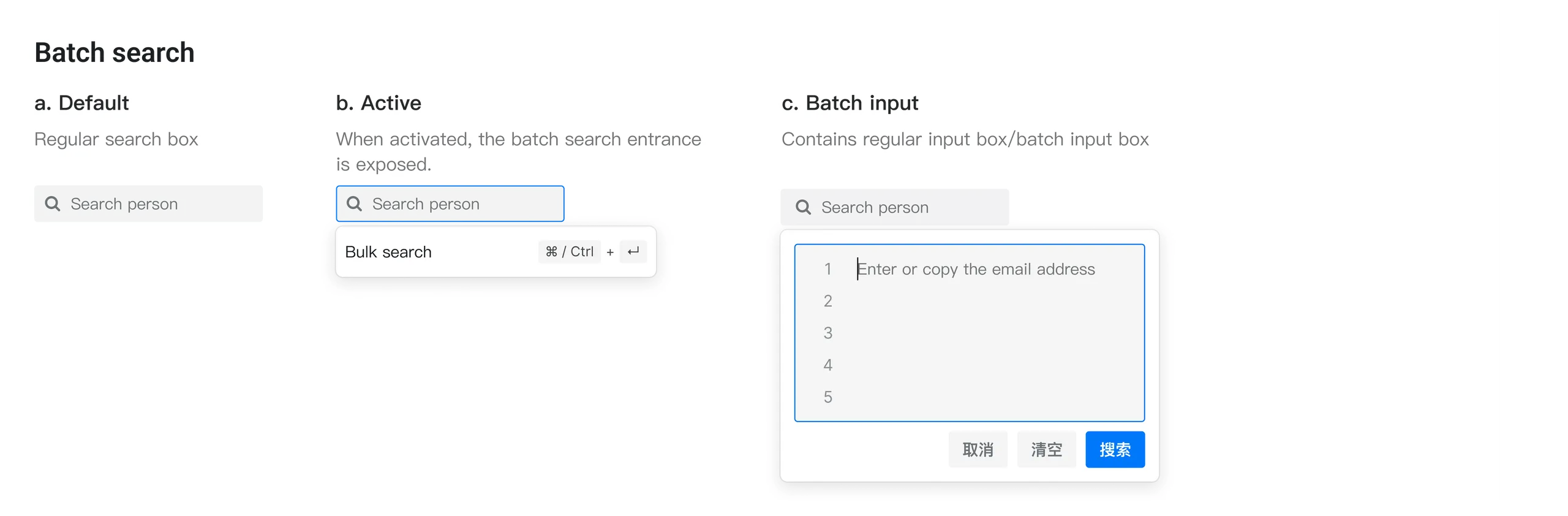
  • Modular: Filter, Diff display, Bulk operation…
  • Page: Form, Data dashboard, Task detail page…

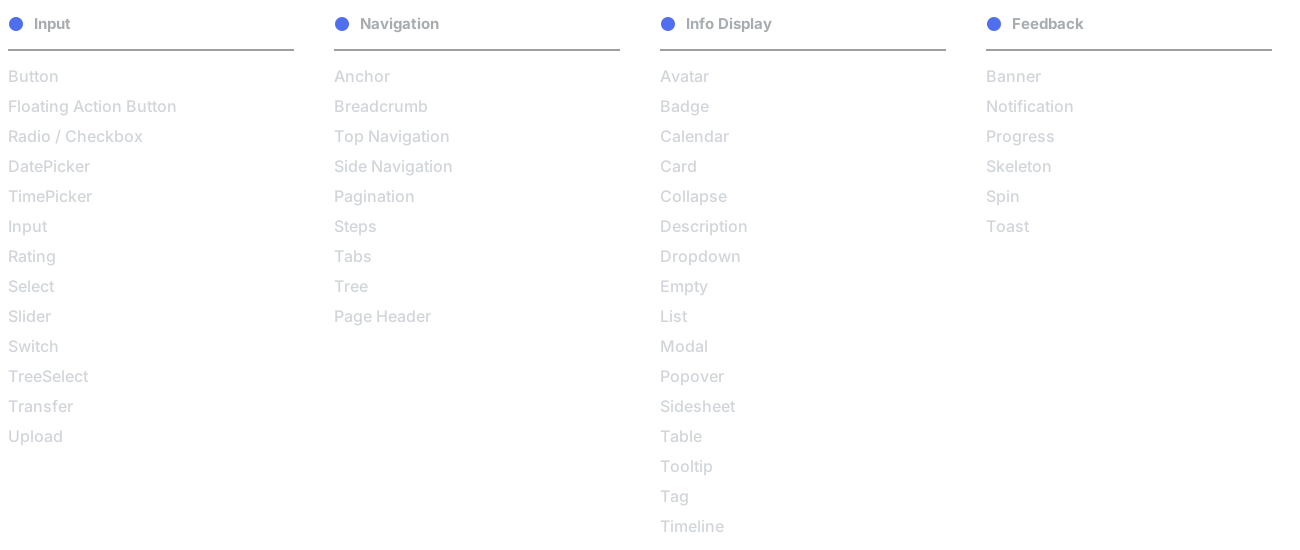
Components library catalogue
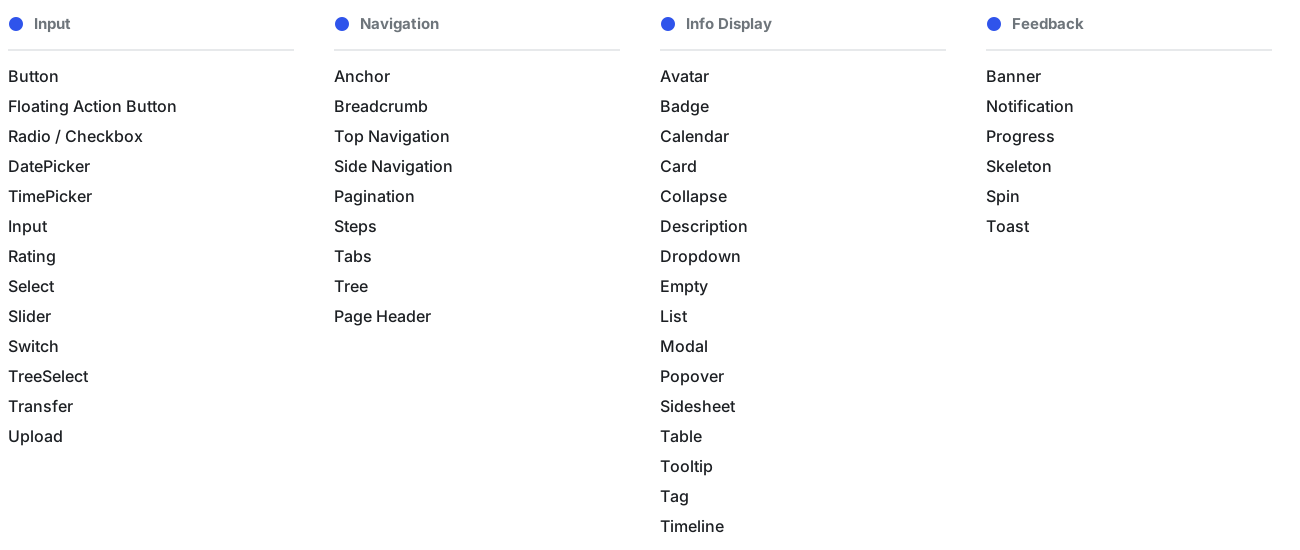
The catalogue in four groups. Input: Button, Floating Action Button, Radio / Checkbox, DatePicker, TimePicker, Input, Rating, Select, Slider, Switch, TreeSelect, Transfer, Upload. Navigation: Anchor, Breadcrumb, Top Navigation, Side Navigation, Pagination, Steps, Tabs, Tree, Page Header. Info display: Avatar, Badge, Calendar, Card, Collapse, Description, Dropdown, Empty, List, Modal, Popover, Sidesheet, Table, Tooltip, Tag, Timeline. Feedback: Banner, Notification, Progress, Skeleton, Spin, ToastThe catalogue in four groups. Input: Button, Floating Action Button, Radio / Checkbox, DatePicker, TimePicker, Input, Rating, Select, Slider, Switch, TreeSelect, Transfer, Upload. Navigation: Anchor, Breadcrumb, Top Navigation, Side Navigation, Pagination, Steps, Tabs, Tree, Page Header. Info display: Avatar, Badge, Calendar, Card, Collapse, Description, Dropdown, Empty, List, Modal, Popover, Sidesheet, Table, Tooltip, Tag, Timeline. Feedback: Banner, Notification, Progress, Skeleton, Spin, Toast

Font

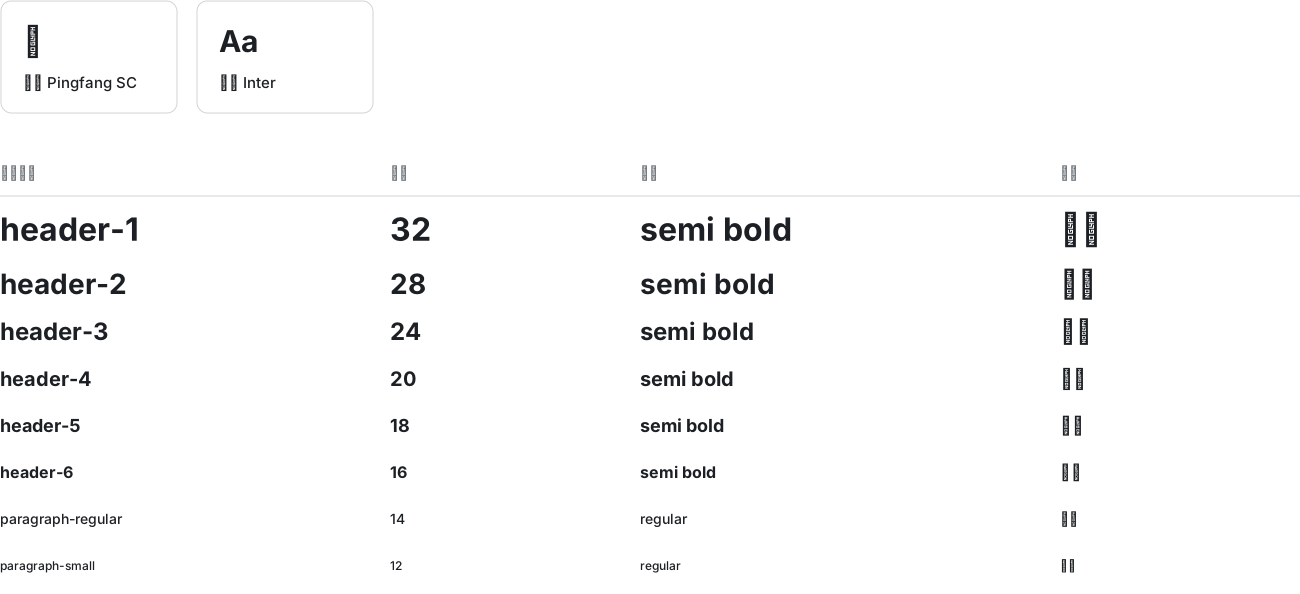
Typography: PingFang SC for Chinese and Inter for English, with the type scale from header-1 (32, semi bold) to paragraph-small (12, regular), next to the brand, semantic and custom colorsTypography: PingFang SC for Chinese and Inter for English, with the type scale from header-1 (32, semi bold) to paragraph-small (12, regular), next to the brand, semantic and custom colors

Color

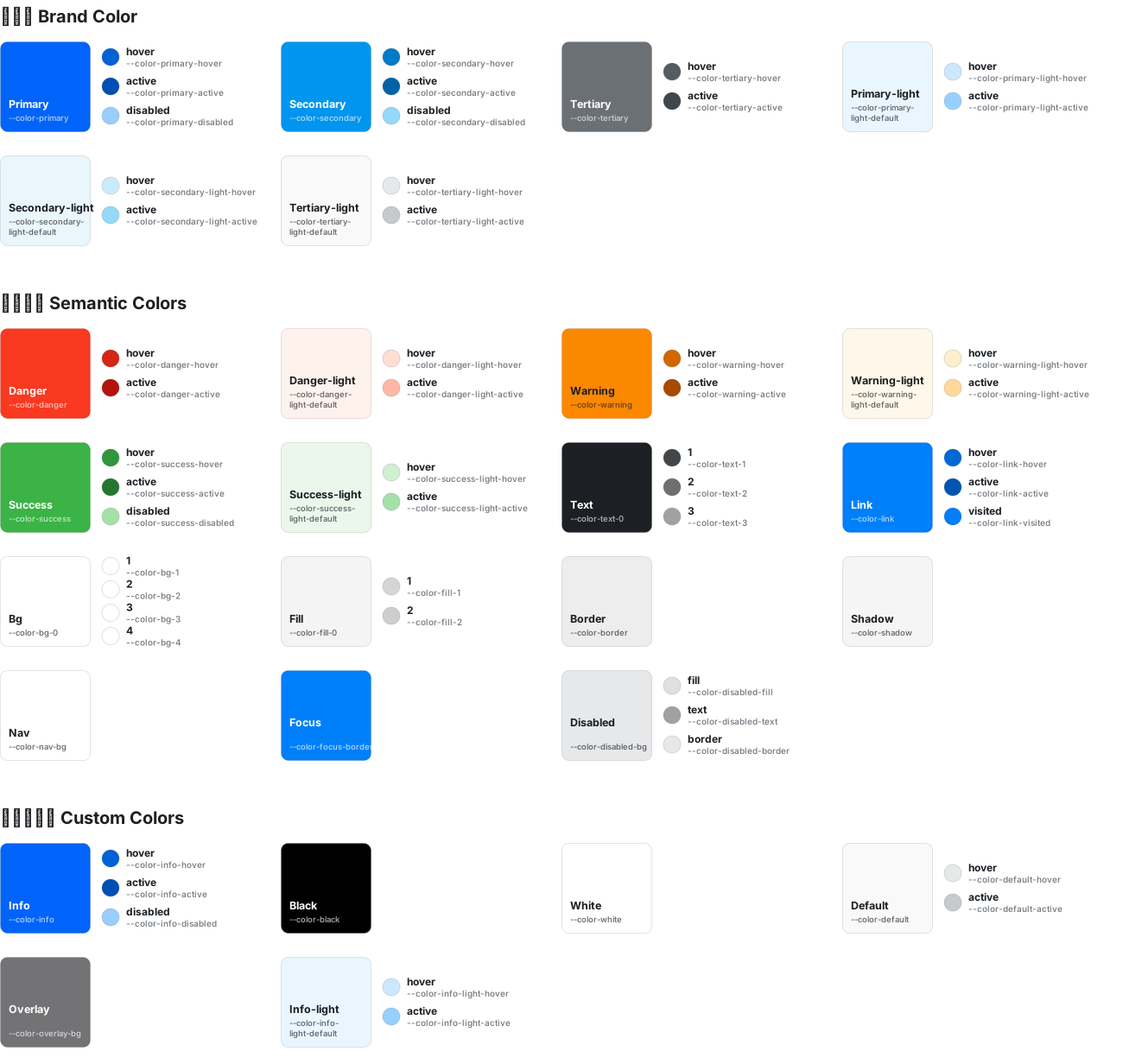
Brand, semantic and custom color tokens, each with its hover, active and disabled statesBrand, semantic and custom color tokens, each with its hover, active and disabled states

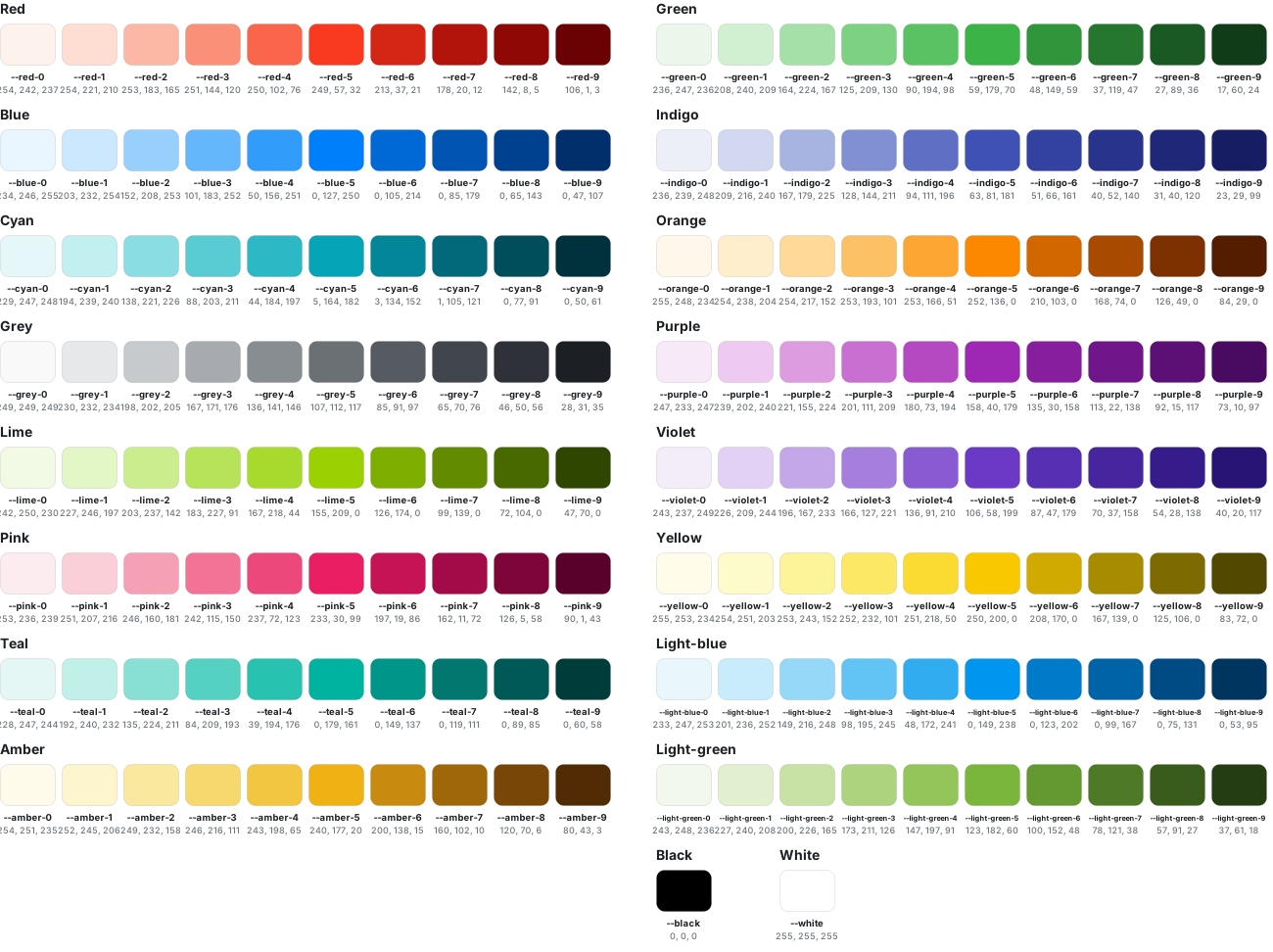
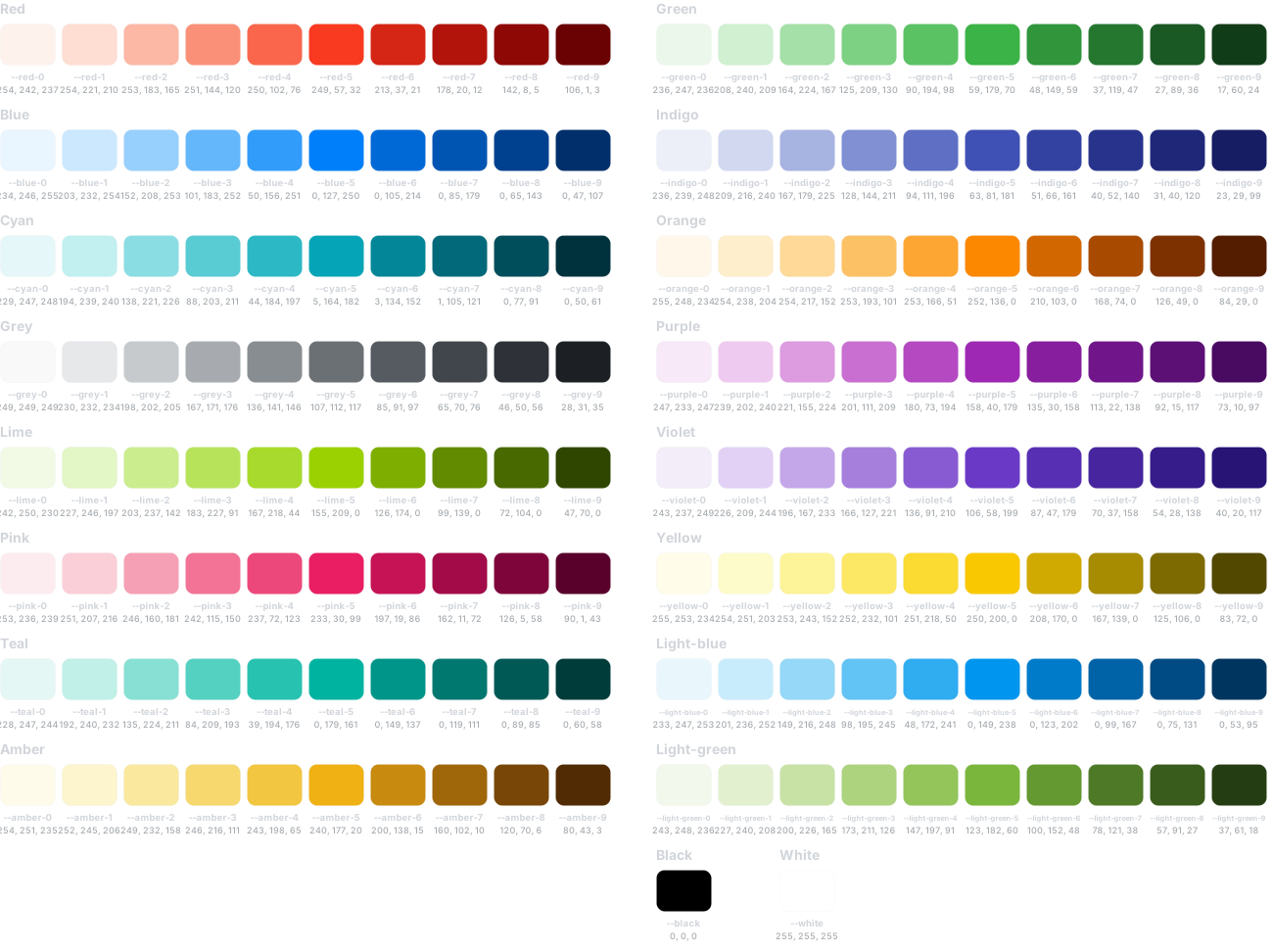
The color palette: ten steps each of red, pink, orange, blue, teal, purple, cyan, amber, violet, grey, green, yellow, lime, indigo, light blue and light green, plus black and whiteThe color palette: ten steps each of red, pink, orange, blue, teal, purple, cyan, amber, violet, grey, green, yellow, lime, indigo, light blue and light green, plus black and white

Icon

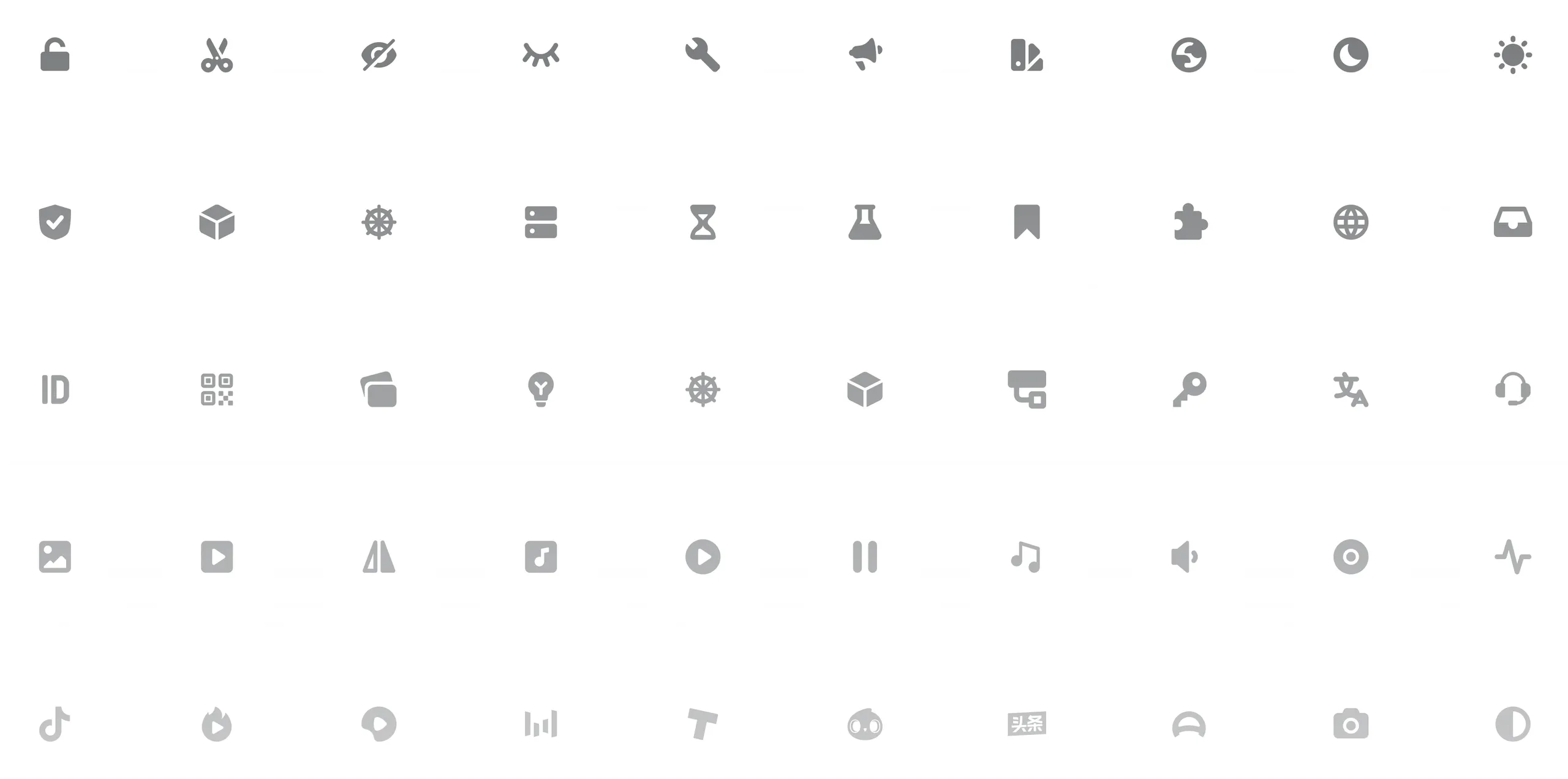
A grid of the library’s icons

Components

Button

Interaction styles

Button states include default, hover, pressed, status persists and disabled. The interactions of the different button types are shown below.

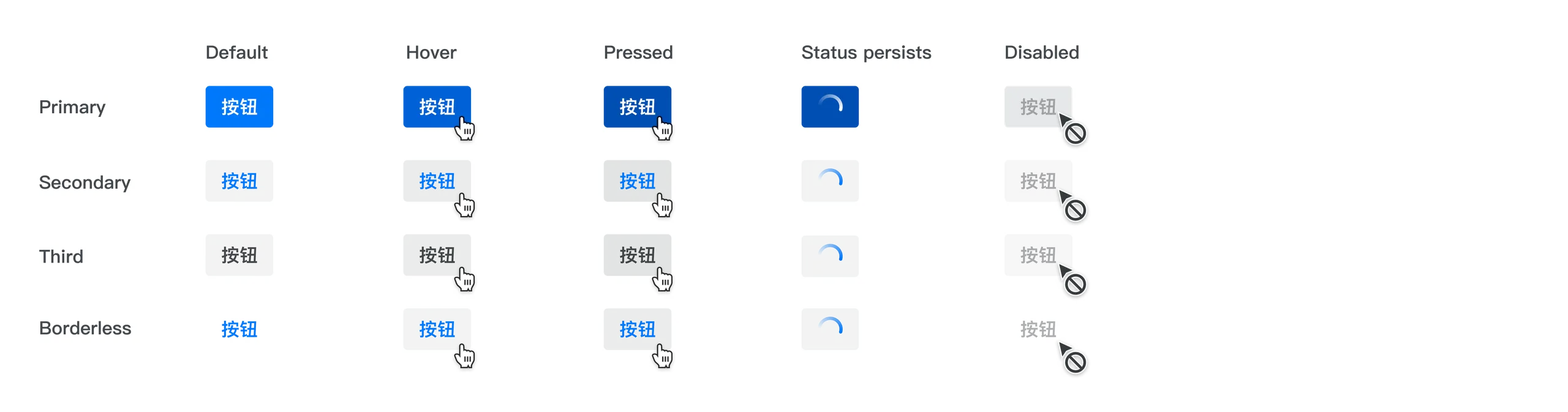
A primary button being hovered and pressed

Button states (default, hover, pressed, status persists, disabled) for the primary, secondary, third and borderless types

Visual styles

There are four types of buttons (regular and small): primary, secondary, tertiary and borderless. Each type corresponds to a different level of emphasis and to different usage scenarios. In addition, there are backgroundless buttons, block-level buttons, link buttons and split buttons. The regular button height is 32px, but where space is limited a small size (24px) button can be used.

Button types in regular and small sizes

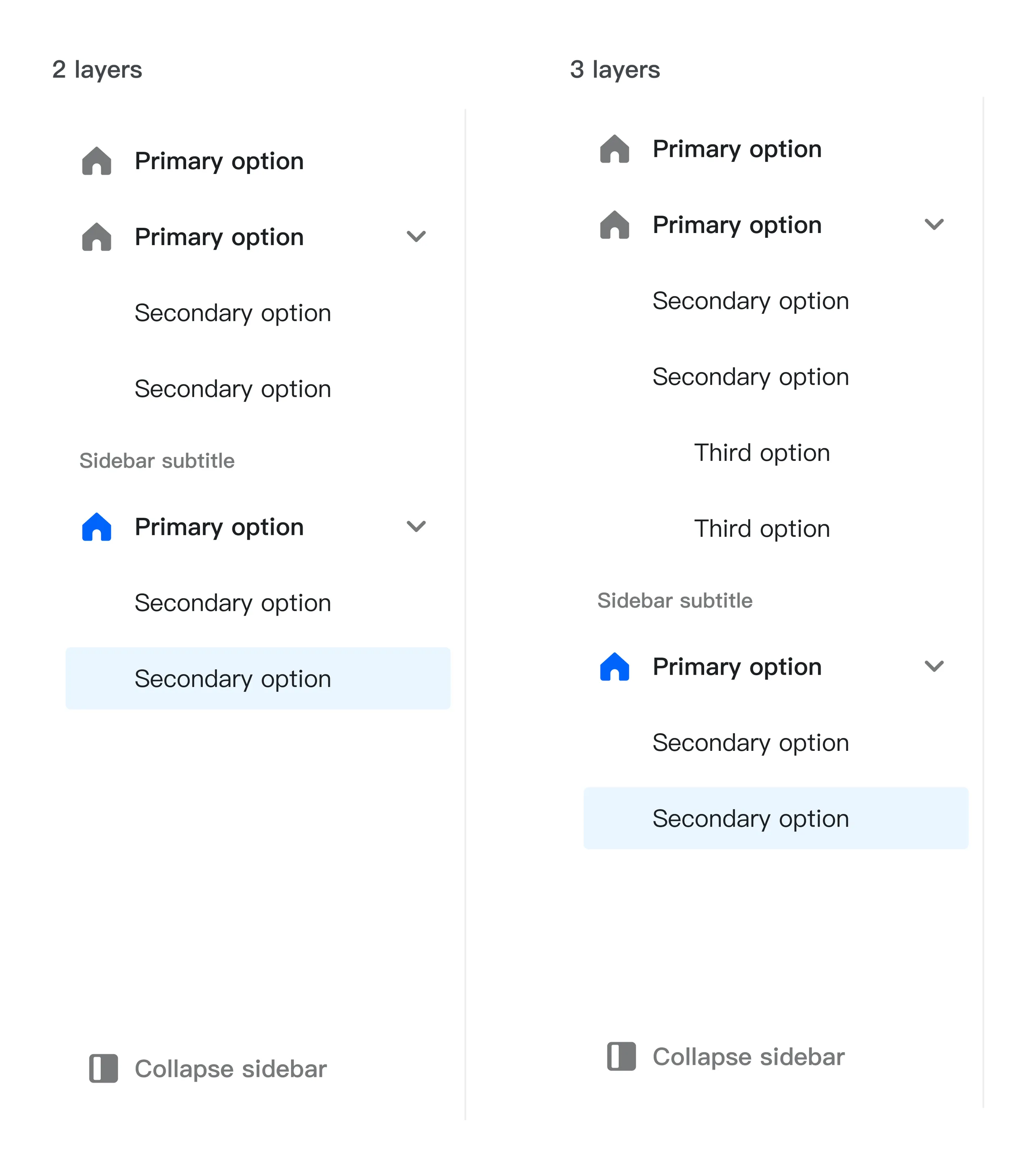
Side navigation

Side navigation

Top navigation

Top navigation

Pagination
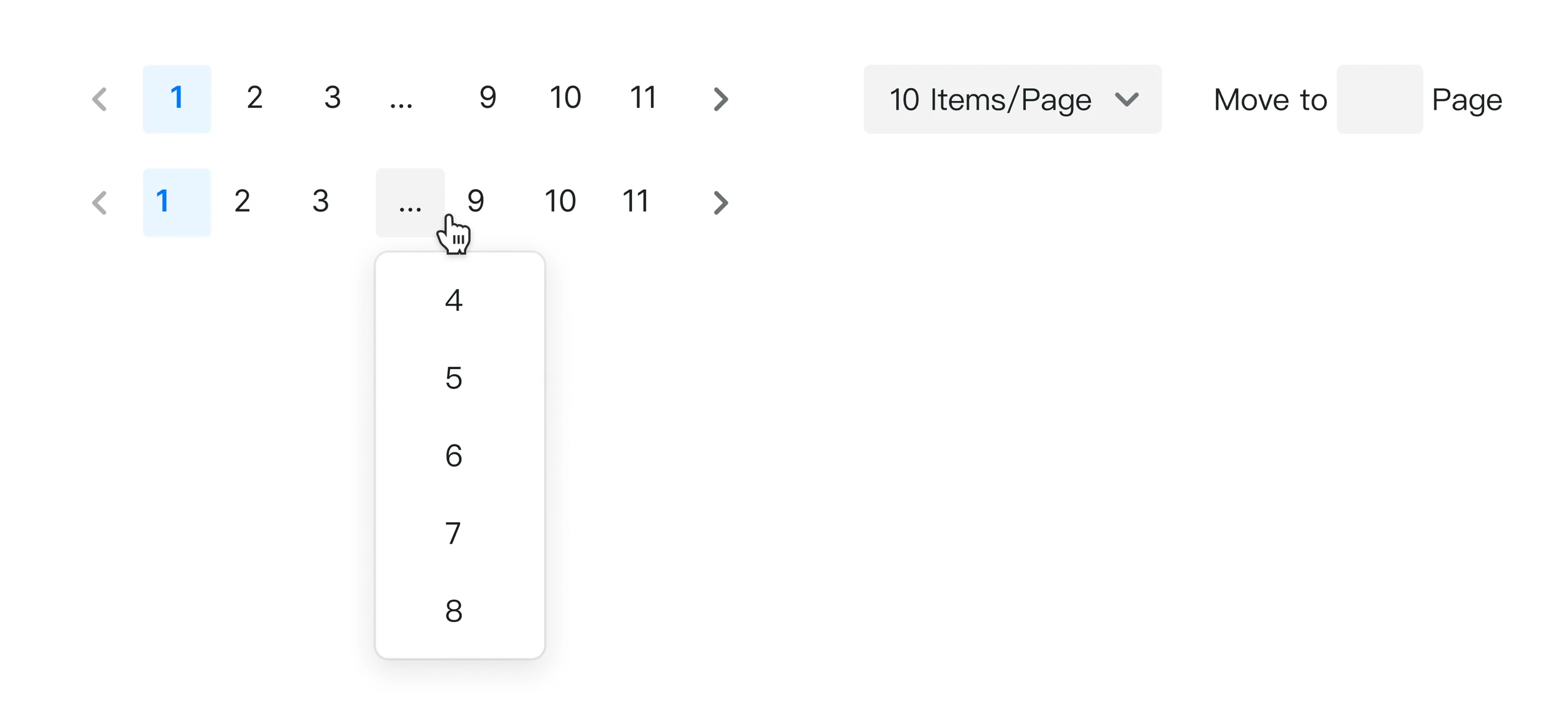
Pagination

Steps

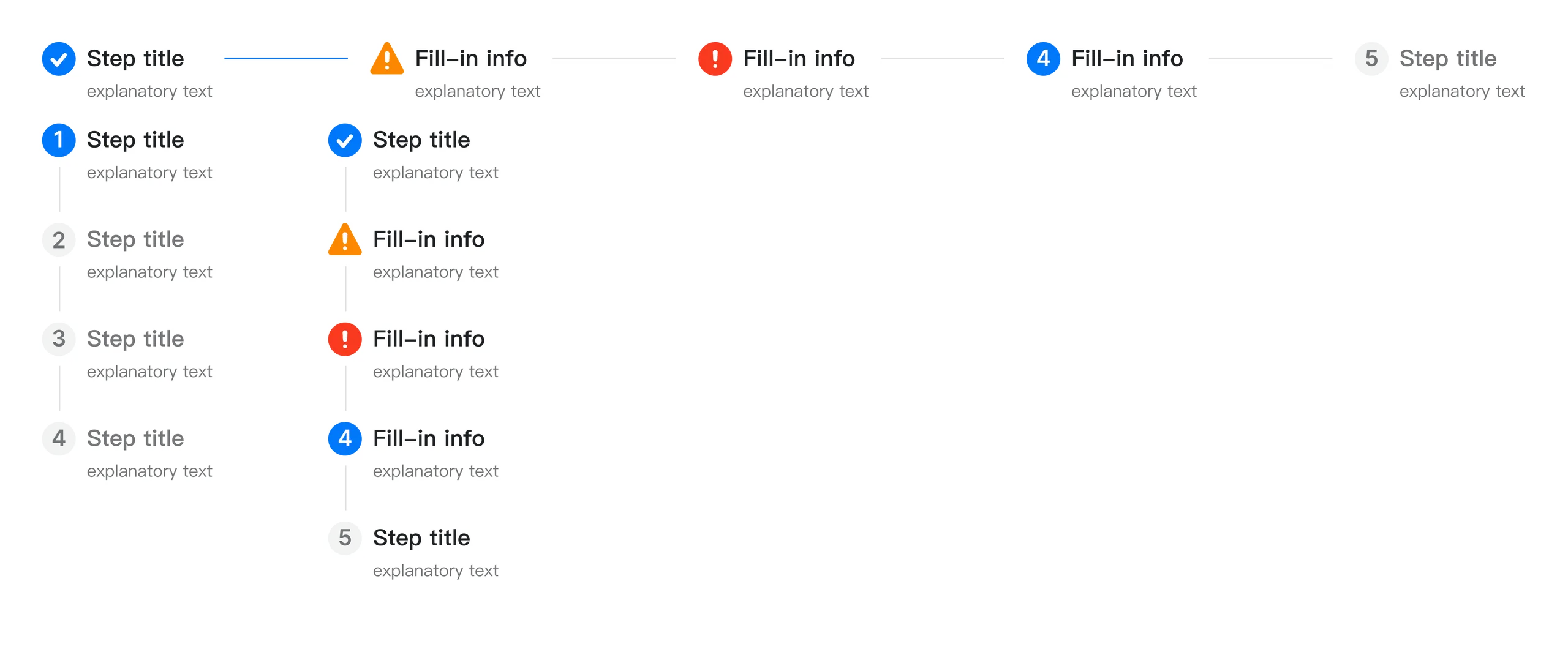
Steps, horizontal and vertical, with done, warning, error, current and waiting states

Data input

Input

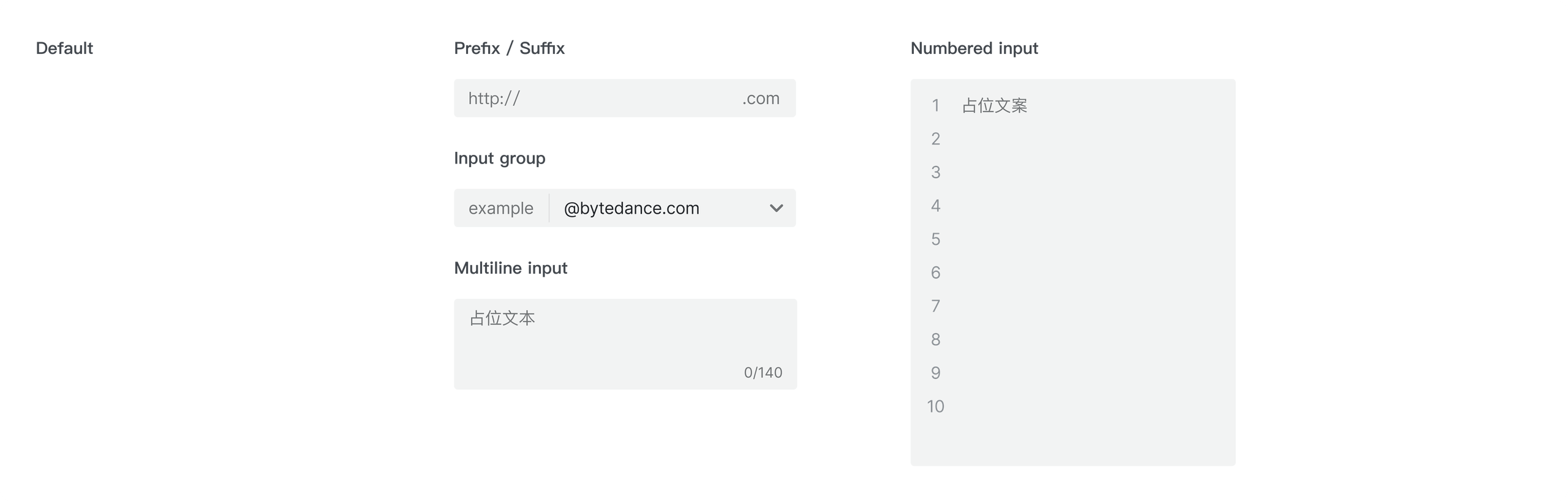
Input variants: default, prefix / suffix, input group, multiline input and numbered input Typing into the default input

Select

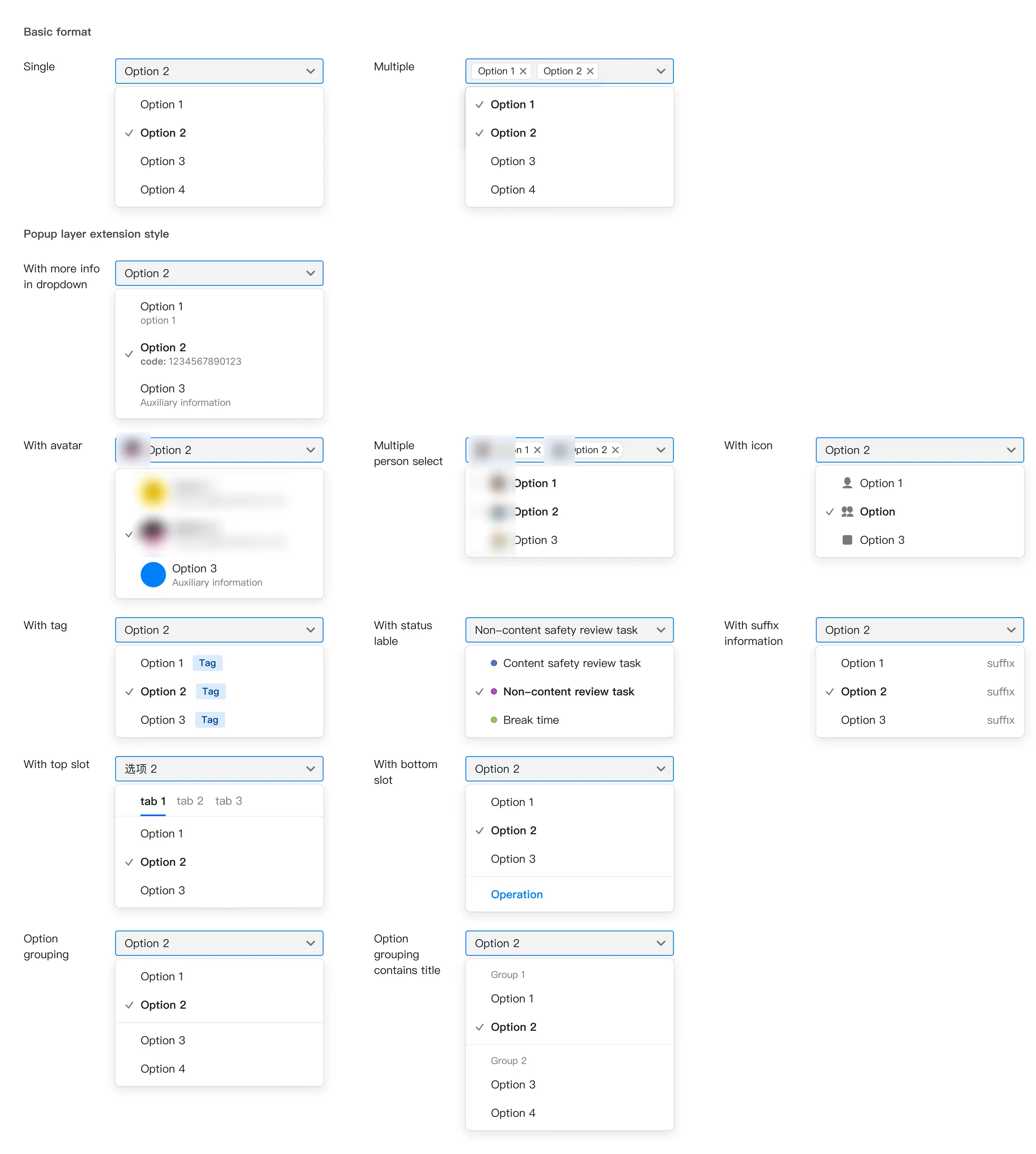
Select variants

Date picker

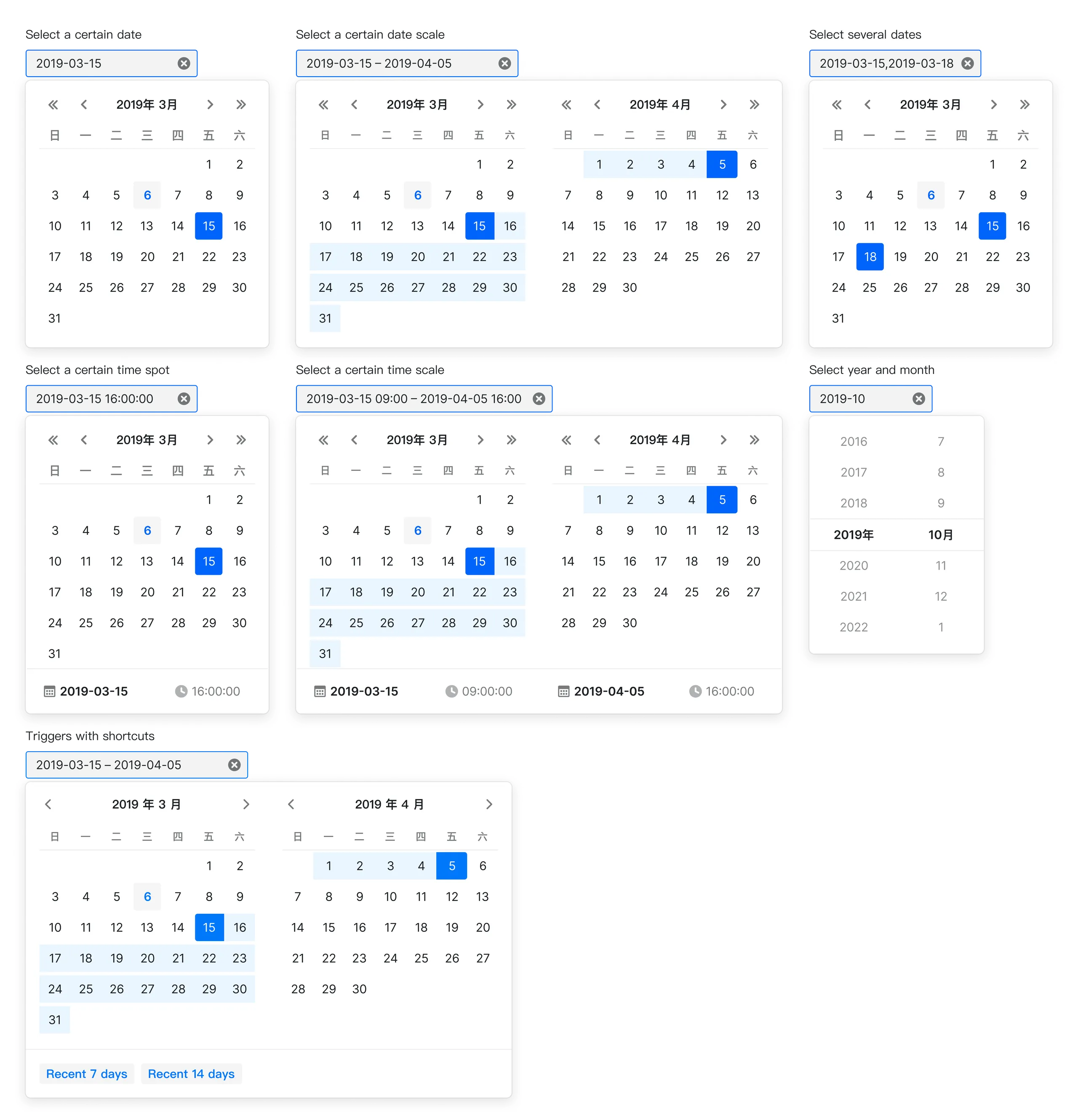
Date picker variants

Data display

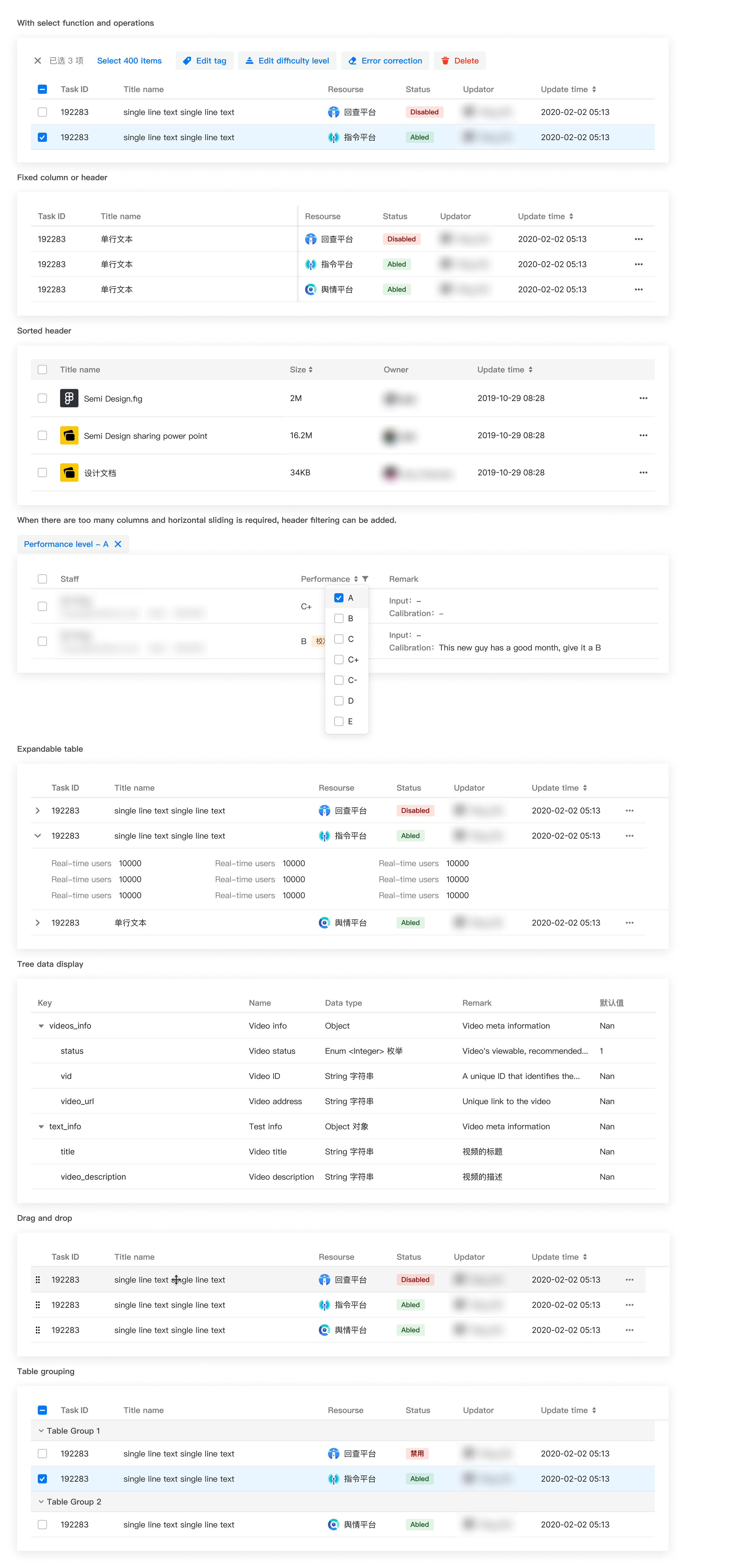
Table


Table variants: with select function and operations, fixed column or header, sorted header, header filtering, expandable table, tree data display, drag and drop, table grouping Selecting rows in a table and running bulk operations Expanding a row in the expandable table

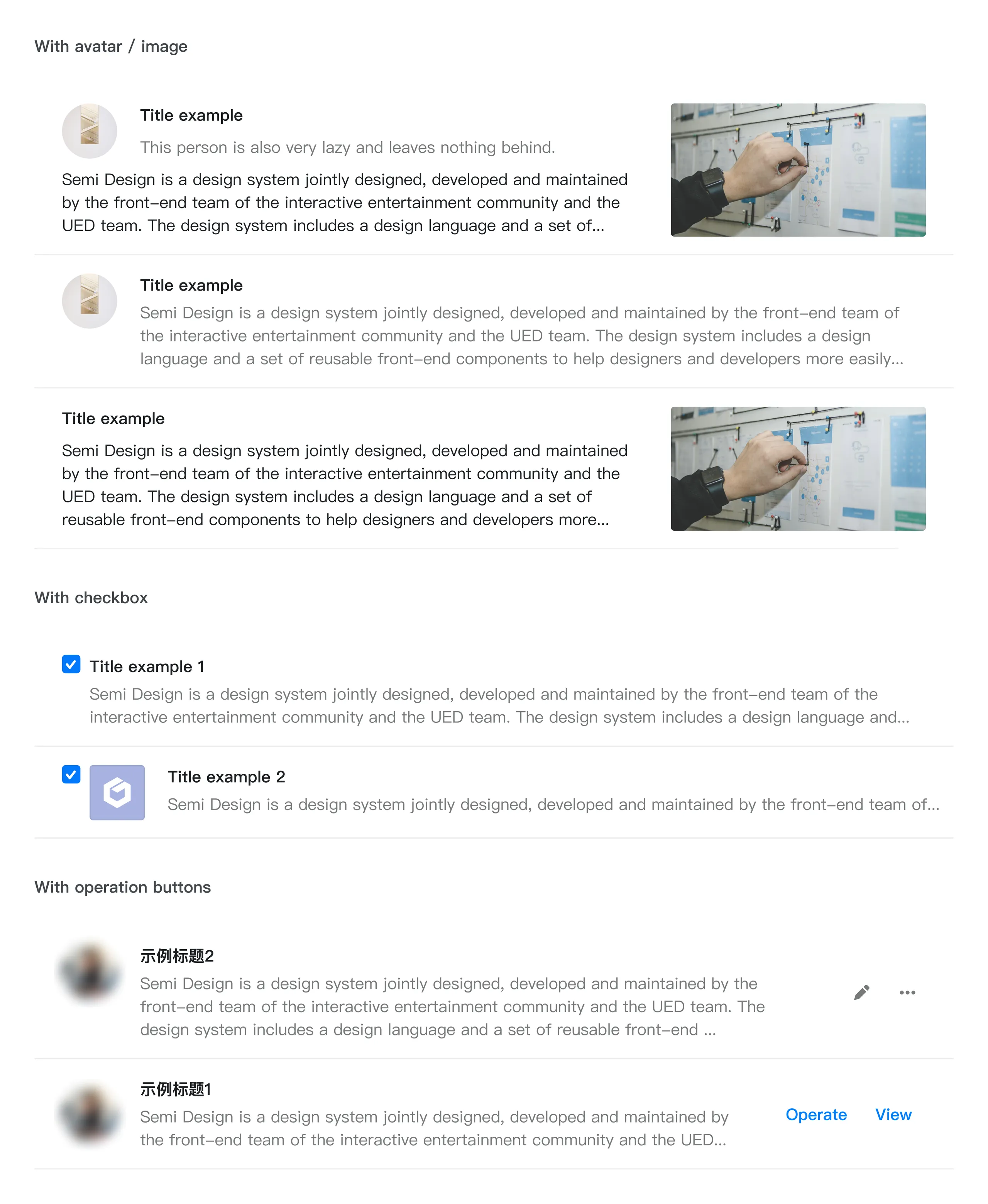
List

List variants

Information display

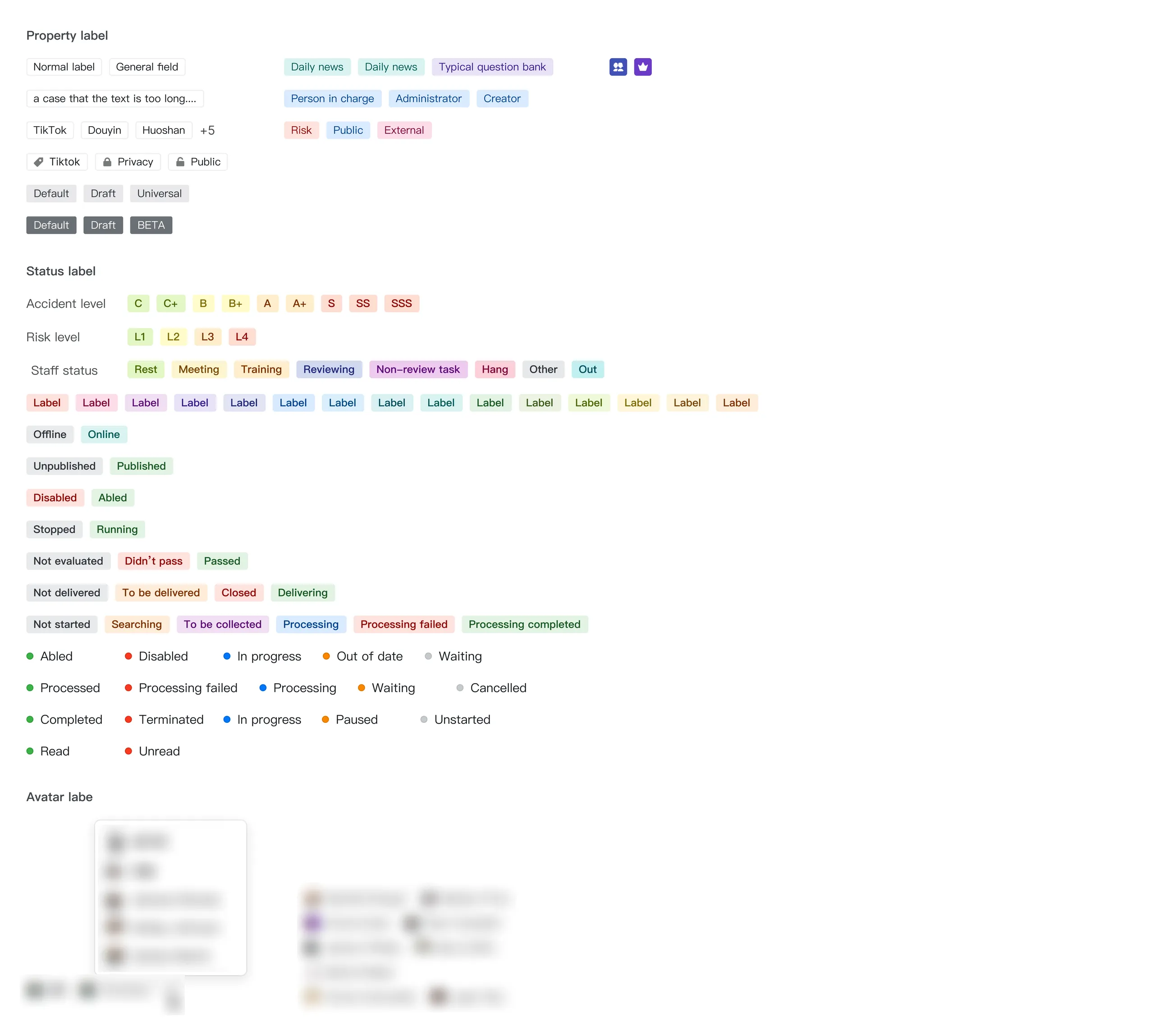
Tag

Tag variants

Tooltip


A tooltip appearing on hover

Popover

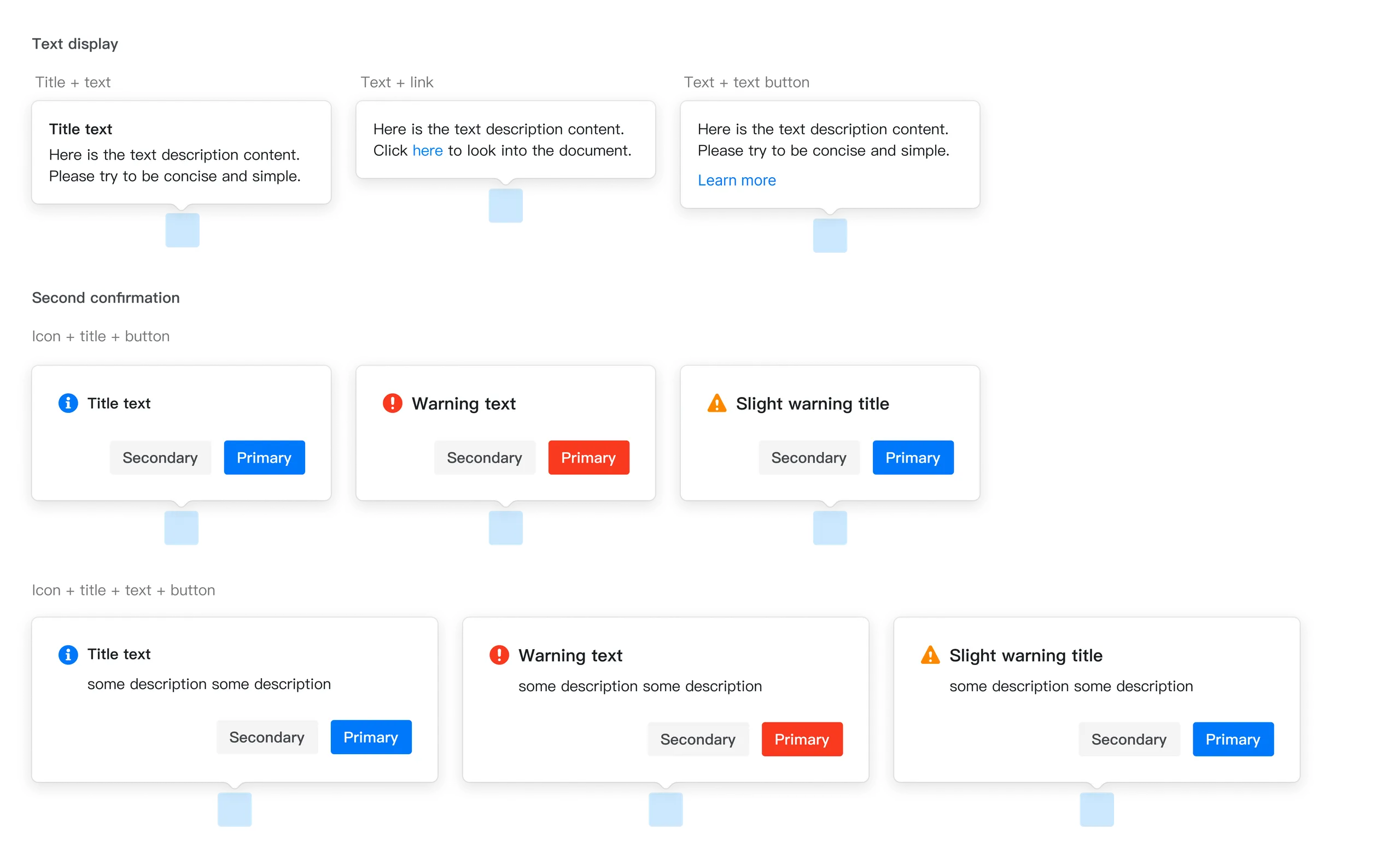
Popover variants

Data visualization

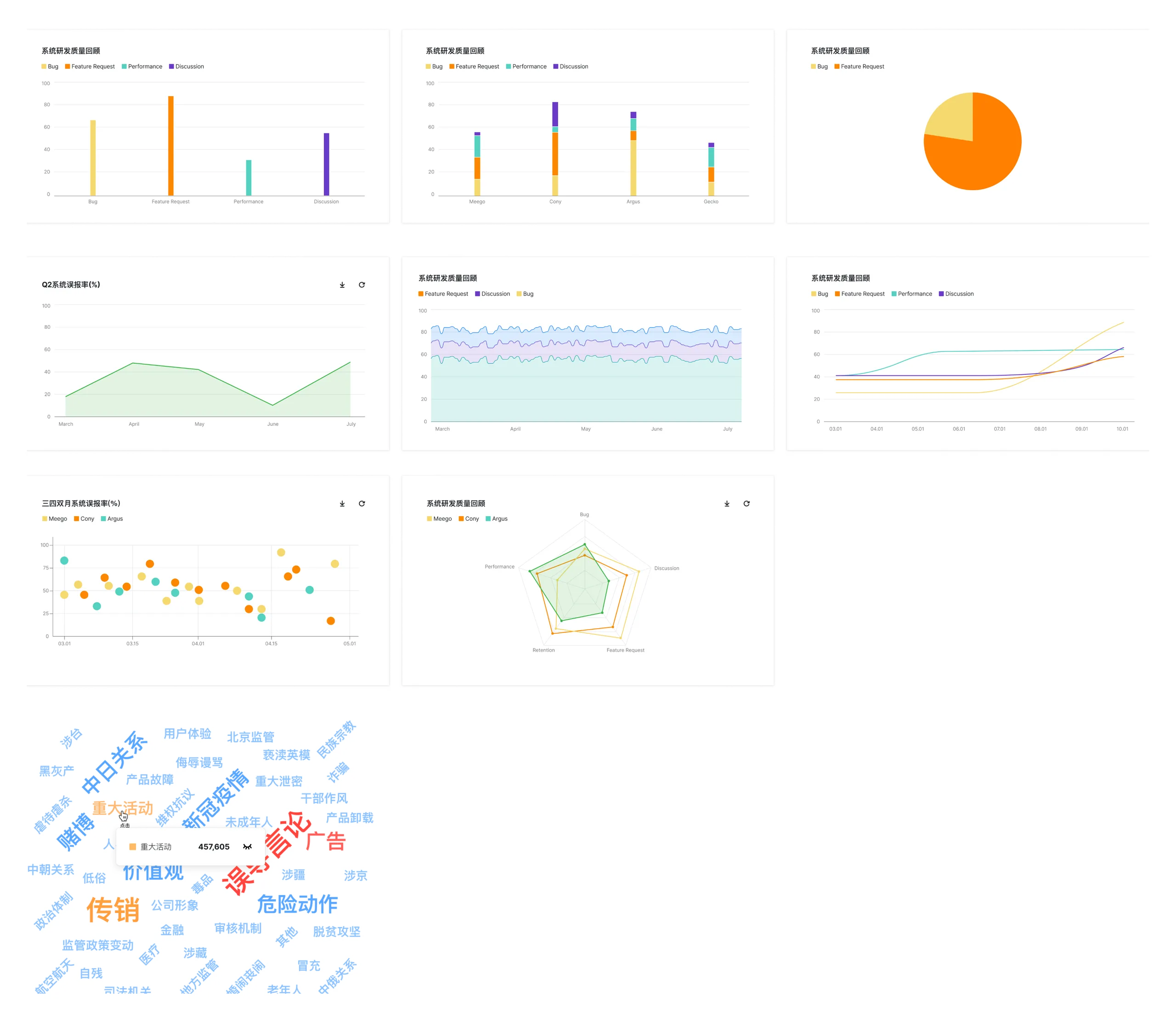
Data visualization components

Feedback

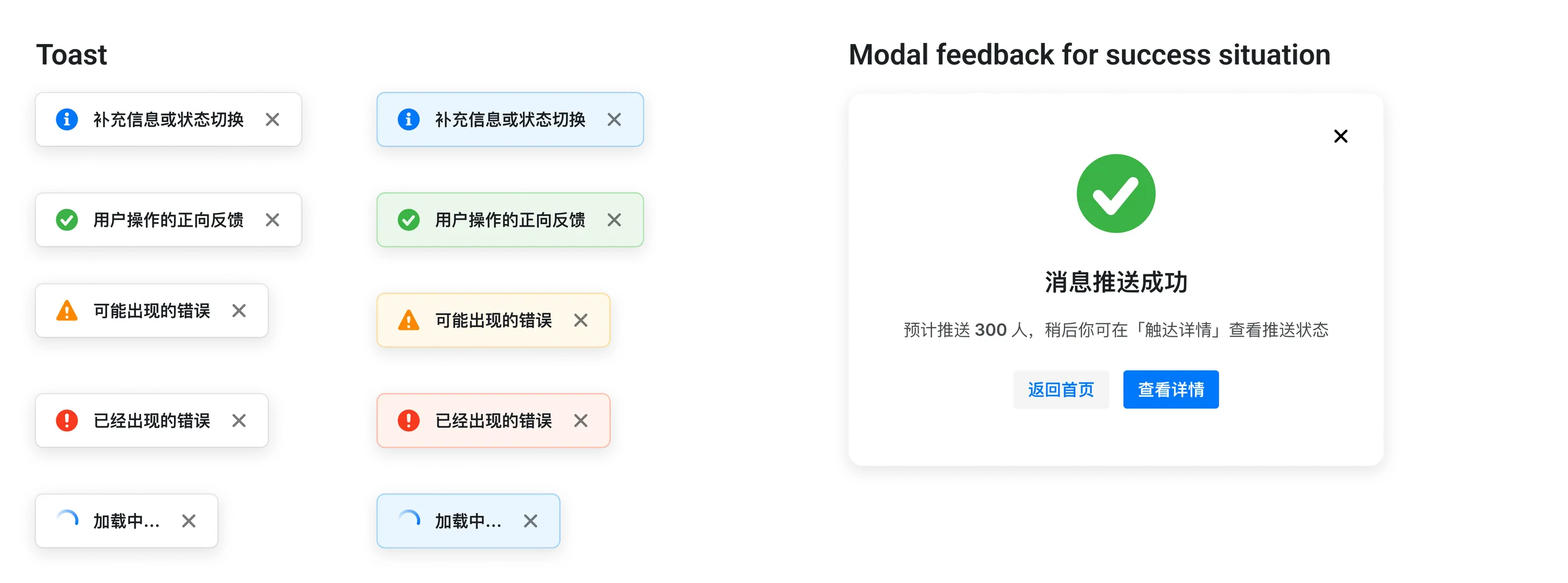
Toast in two styles (info, success, warning, error, loading) and a modal for a successful action

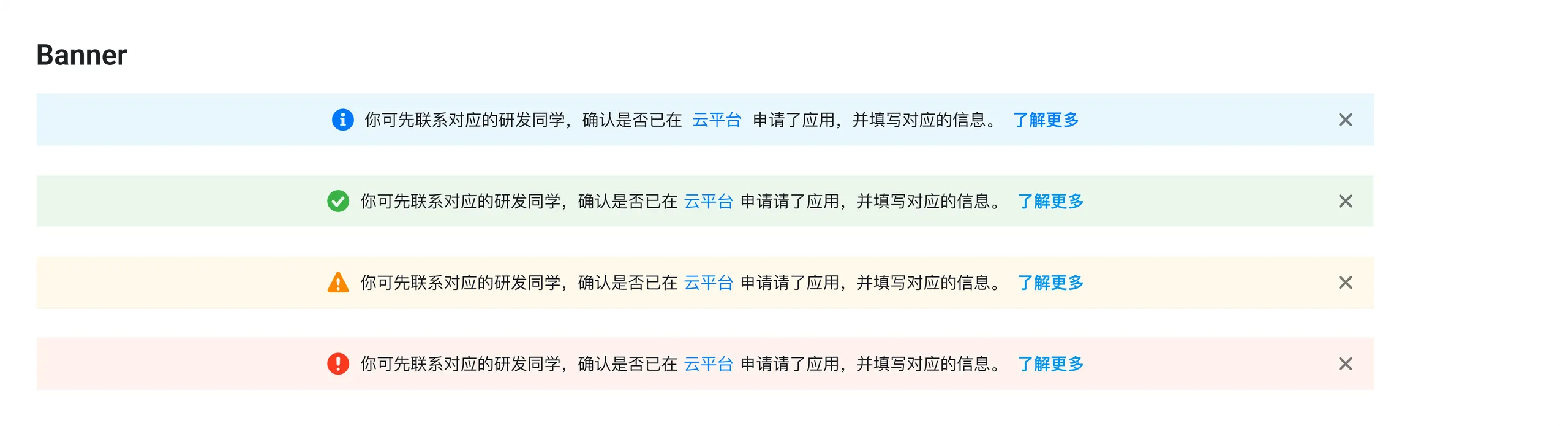
Banner: info, success, warning and error

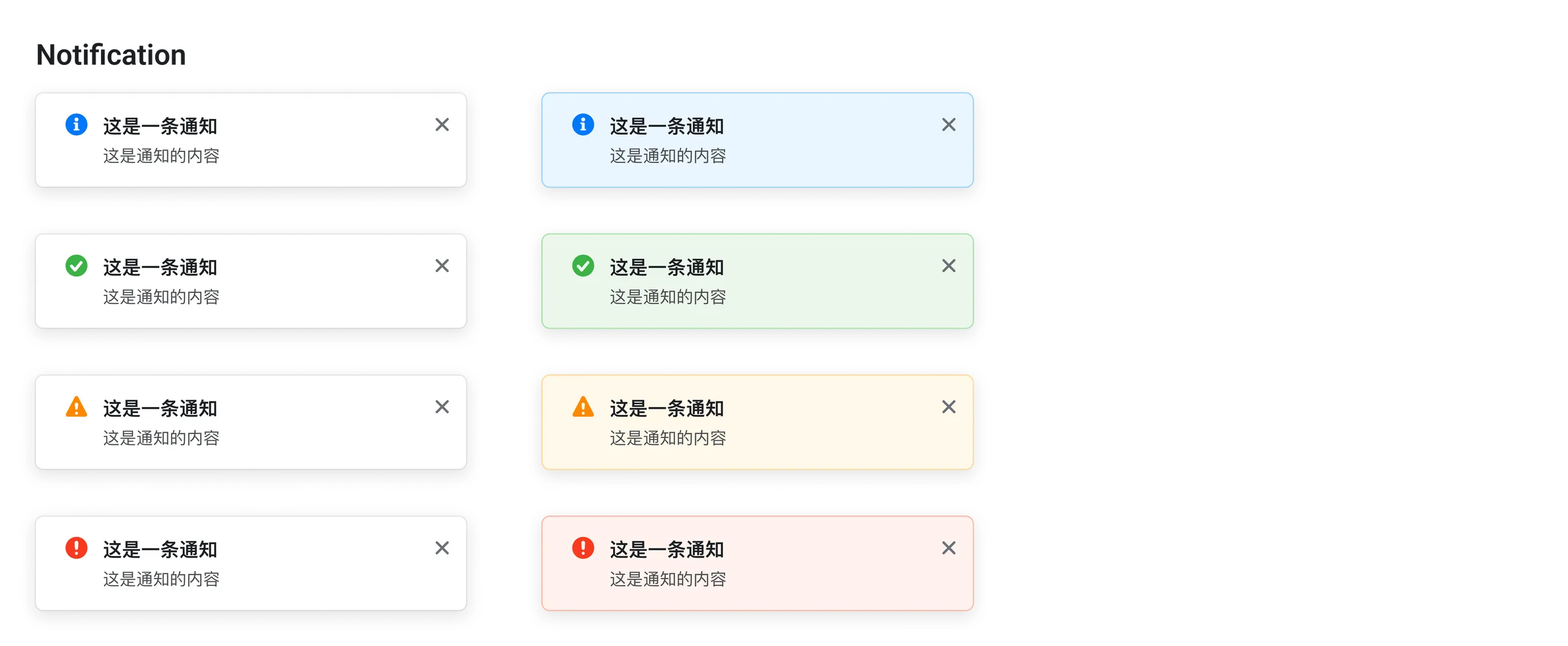
Notification in two styles: info, success, warning and error

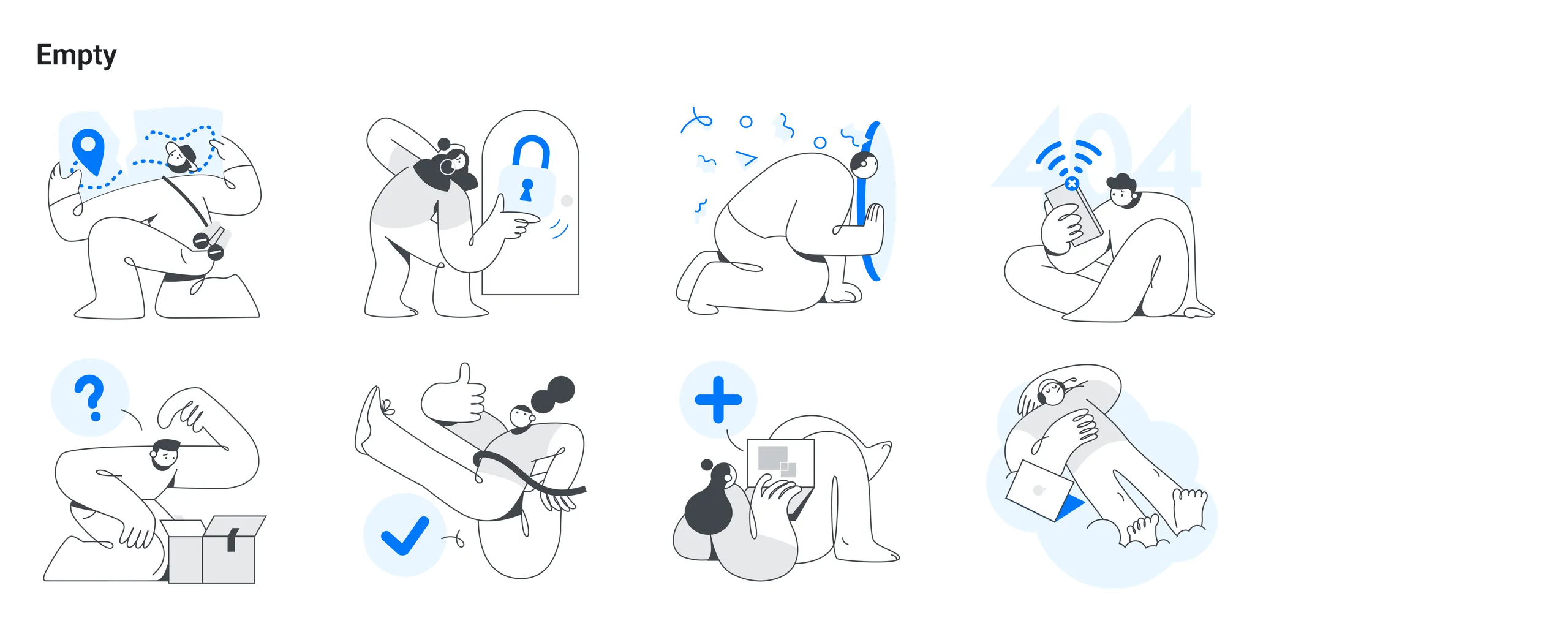
Empty states

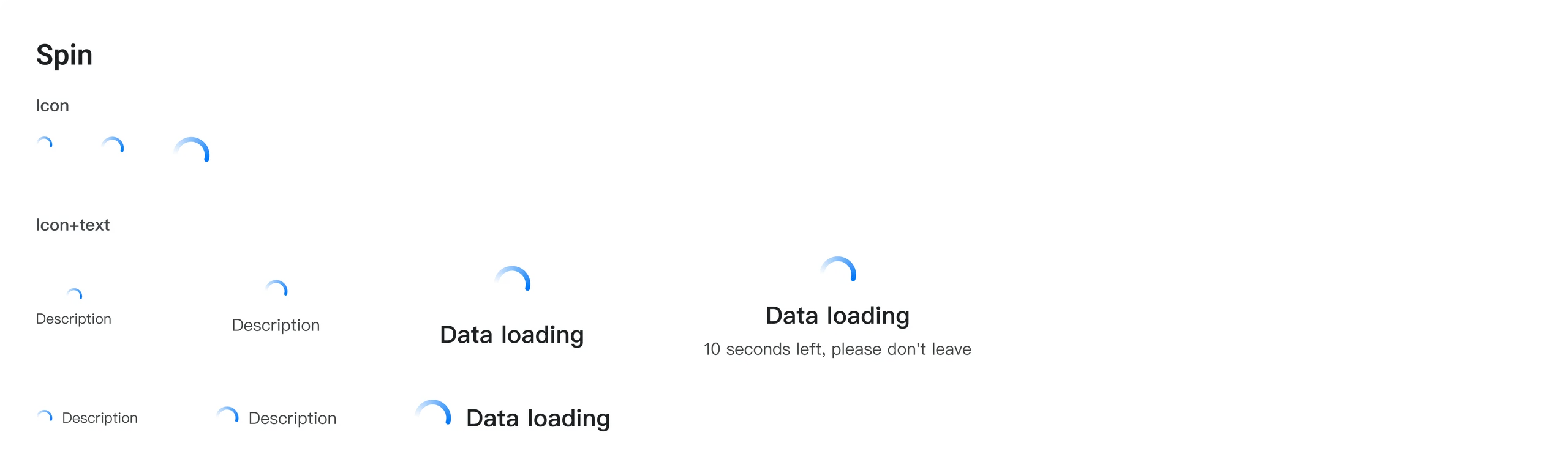
Spin (loading) states

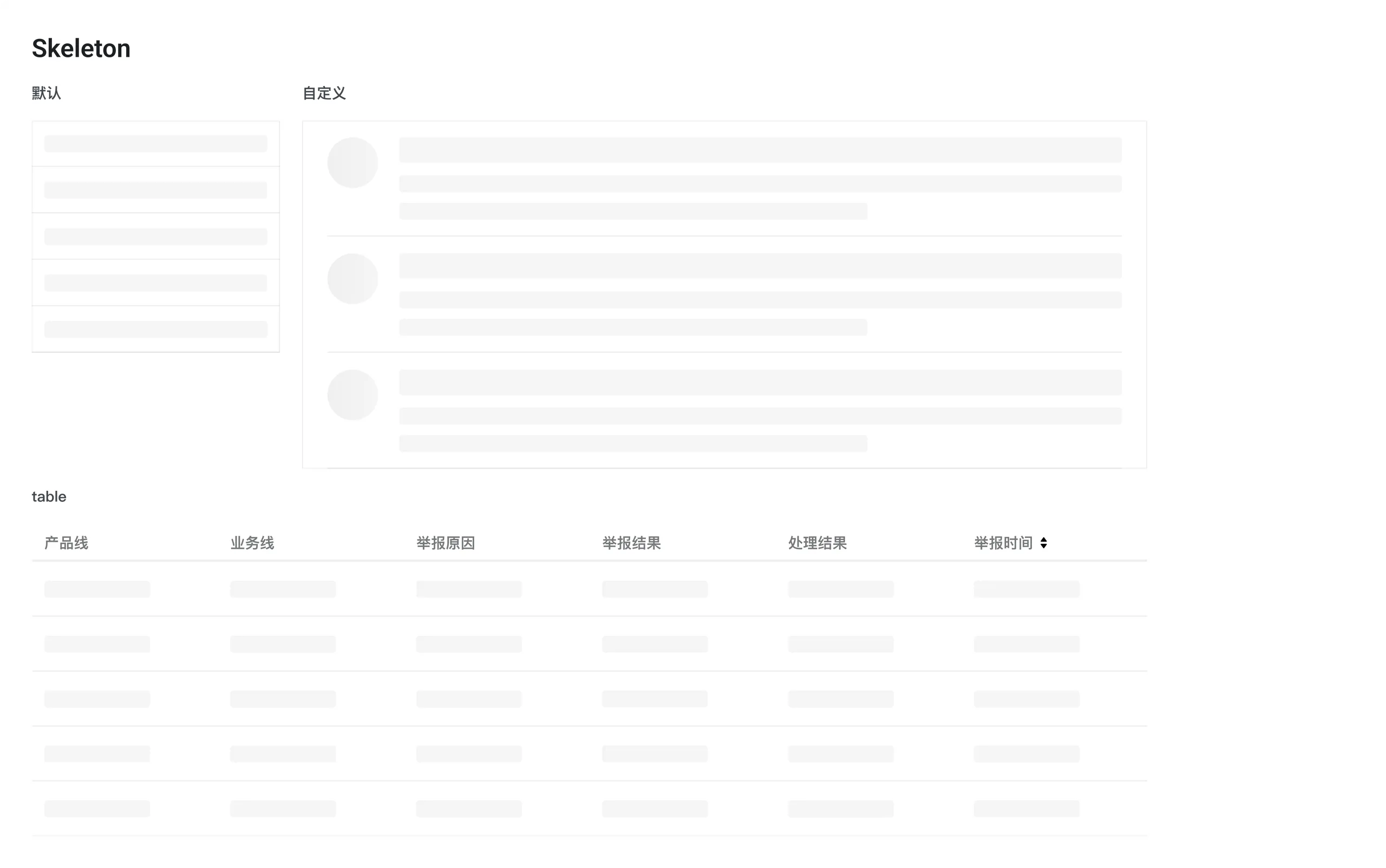
Skeleton: default, custom and table


Filter Using the filter above a table: search, dropdown filters and sorting

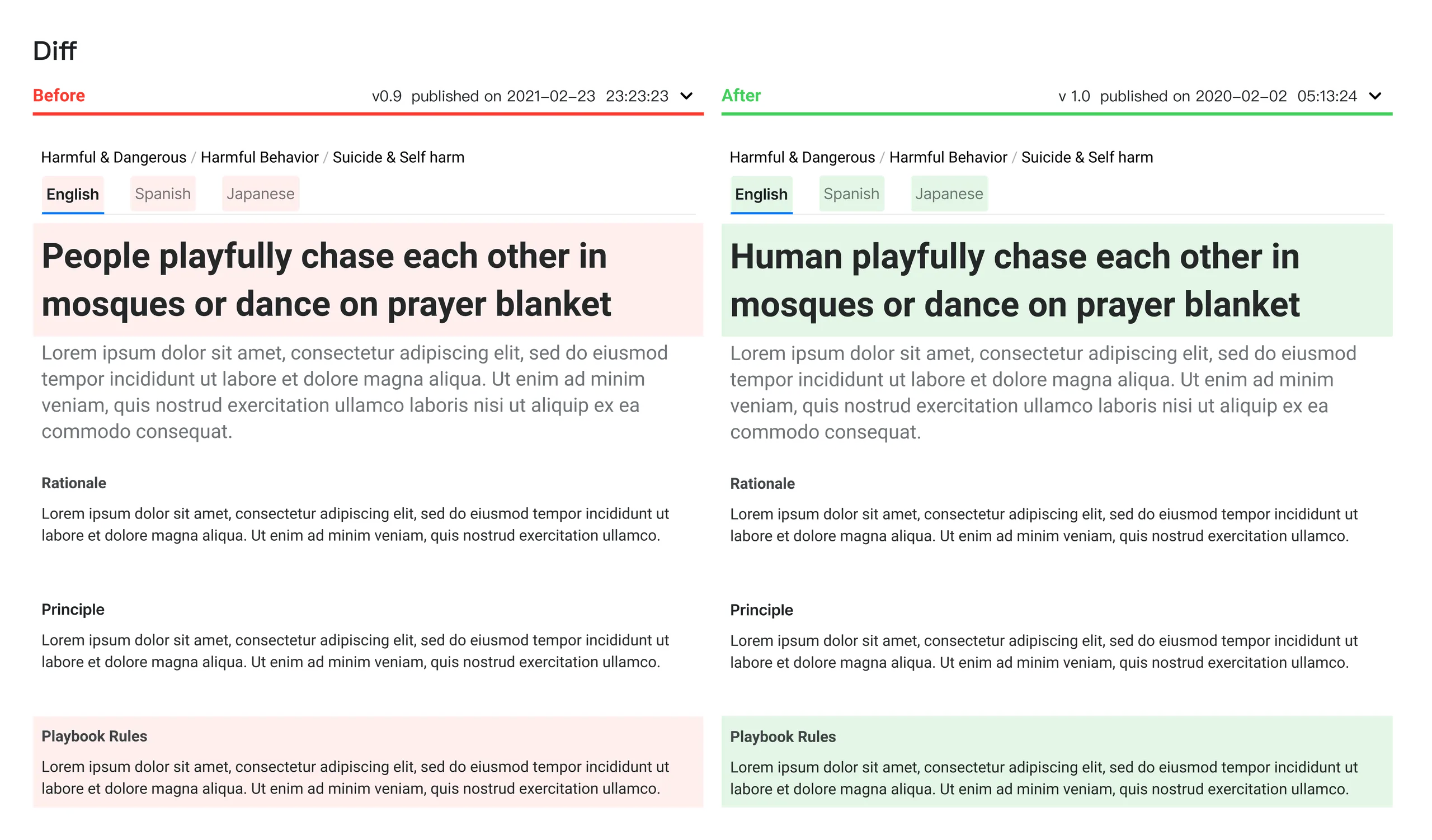
Diff display

Timeline

Field display

Bulk operation